An online trading journalbuilt around your plan, not just your P&L.

PlanningTrade records every trade automatically, checks it against the risk rules you set, tags and charts the result, and reads it all back to you through an AI Coach or a mentor. Free plan available, no credit card required.

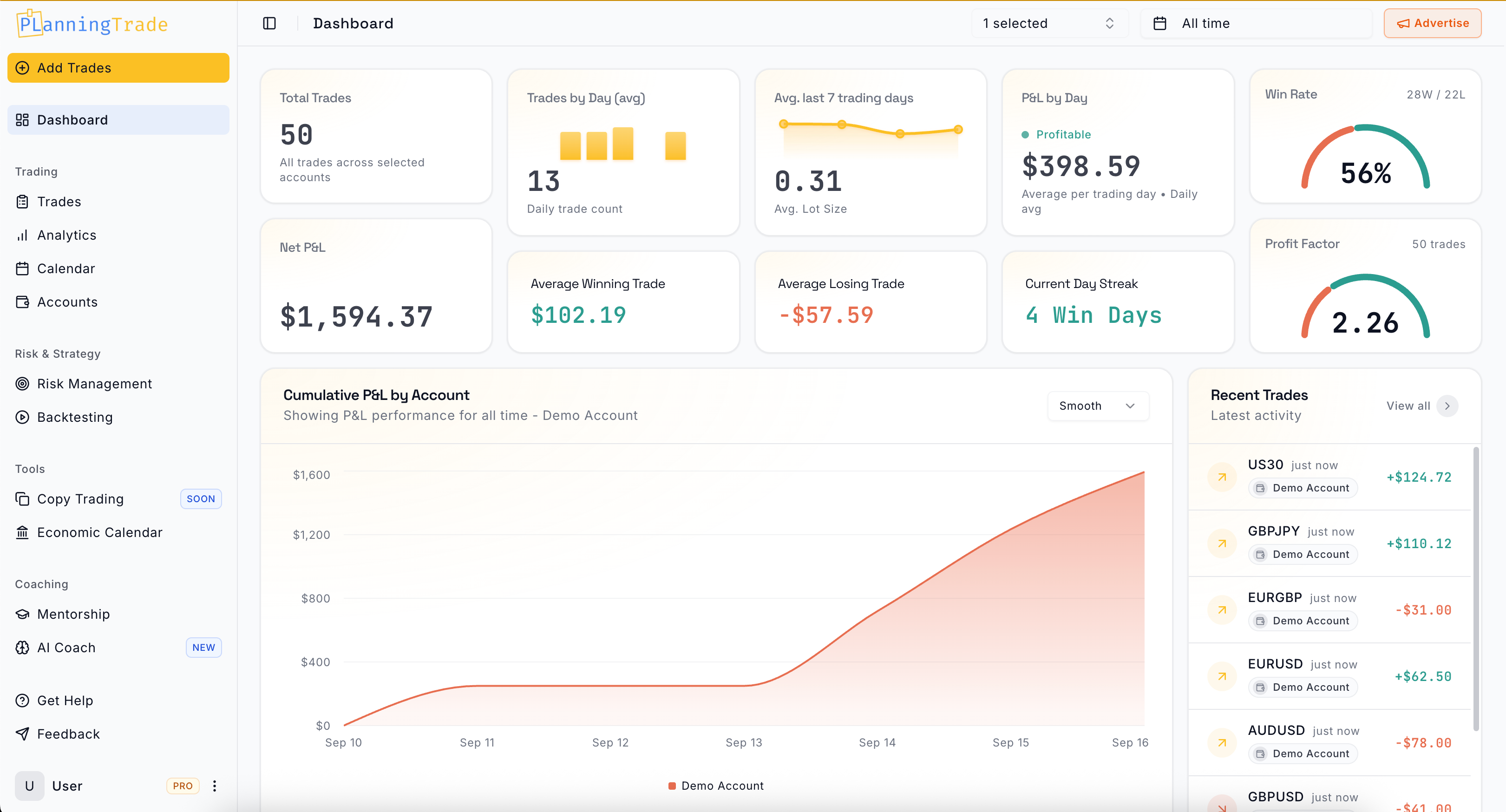
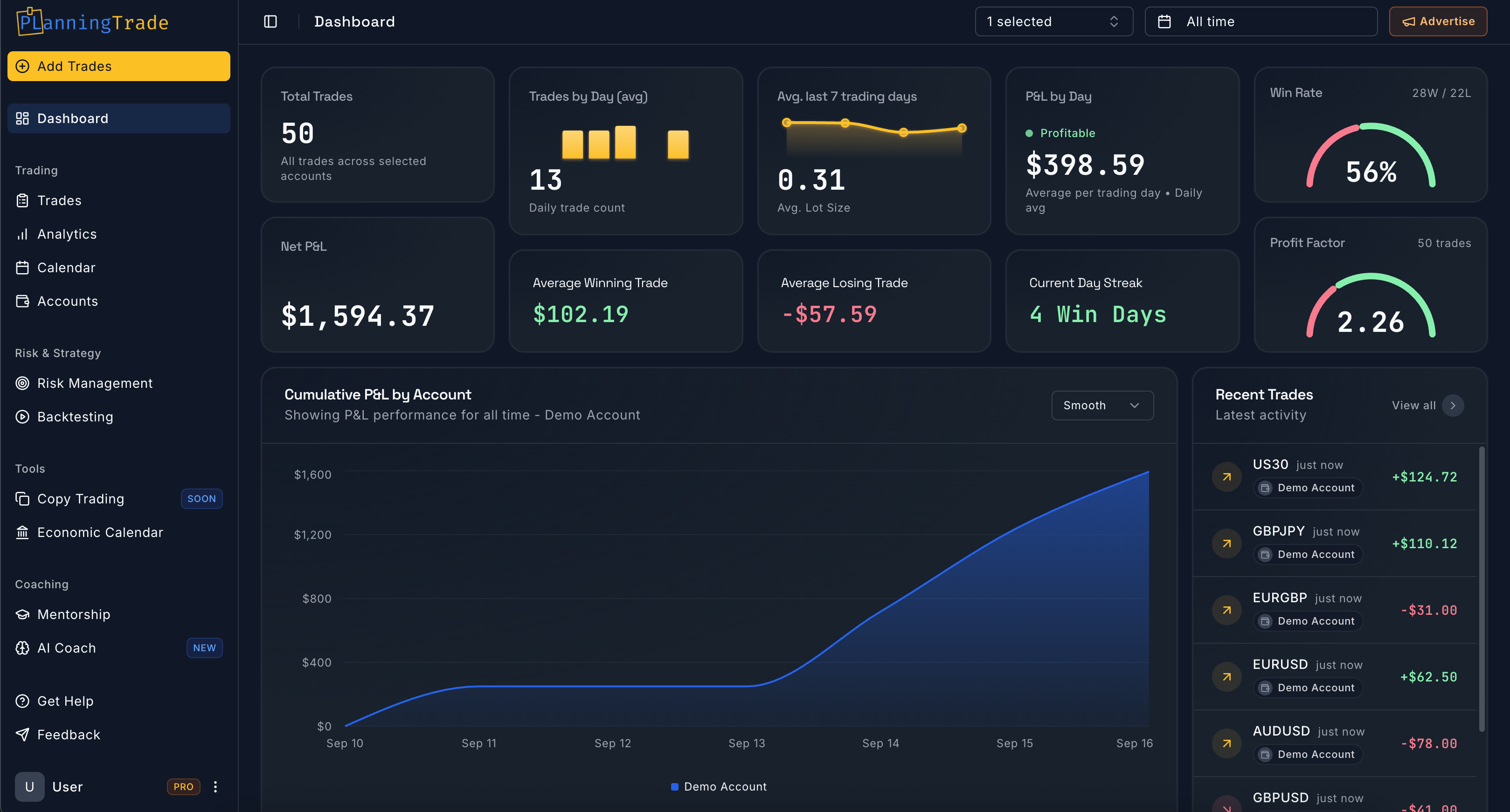
PlanningTrade trading journal dashboard showing net P&L, win rate and trade metrics

What it is

A trading journal that does the recording for you

PlanningTrade is a trading journal for prop firm, forex, futures, stock and crypto traders. It logs trades automatically from your platform, or from an import, and turns them into a dashboard, a calendar, tag reports and analytics. Risk rules, backtesting, an AI Coach and Mentor Mode live in the same workspace, so the journal is where you plan a trade, record it and review it.

It is built for traders who already know they should journal and want the tool to remove the friction: no spreadsheet, no manual entry, no second app for backtesting. The free plan covers 1 trading account and 50 trades with auto-sync included; Pro removes those limits for $14.99 a month. See the full plan comparison.

Step 1 of 6

Auto-sync and accounts

Every trade, journaled automatically.

MetaTrader 4, MetaTrader 5 and cTrader sync through a connector that runs inside your own terminal, so there is no extra login and no new IP address for a prop firm to notice. NinjaTrader and Tradovate connect read-only. Anything else imports from an HTML statement or CSV, and any trade can be added by hand.

How auto-sync works per platform

Every account, every trade, in one place

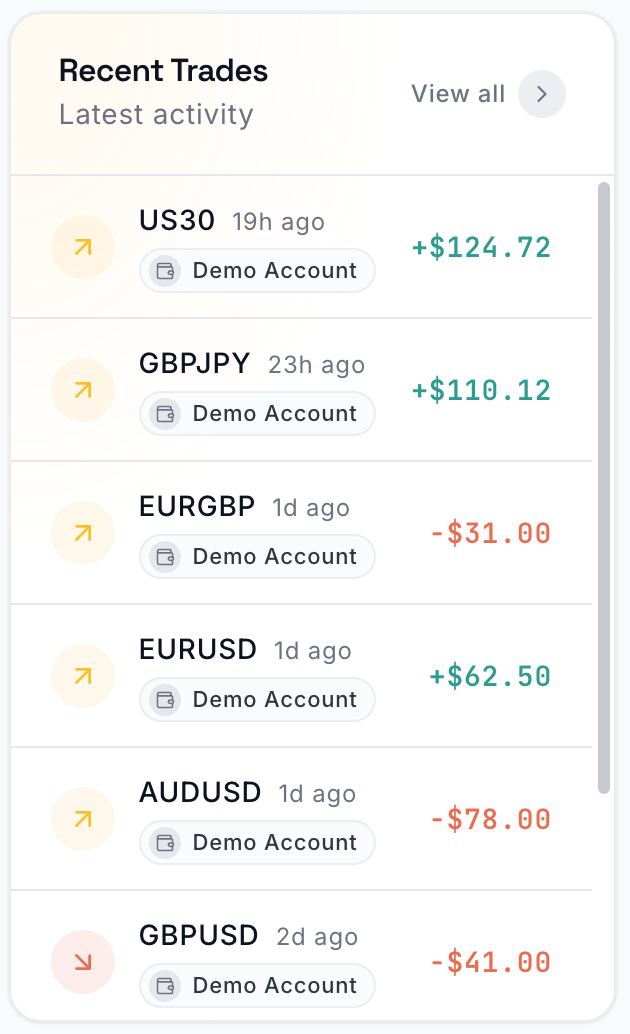
Prop firm evaluations, funded accounts and personal accounts side by side, each with balance, broker and a live equity sparkline. Synced fills land as round-trip trades with symbol, account and P&L. Nothing to type after the session.
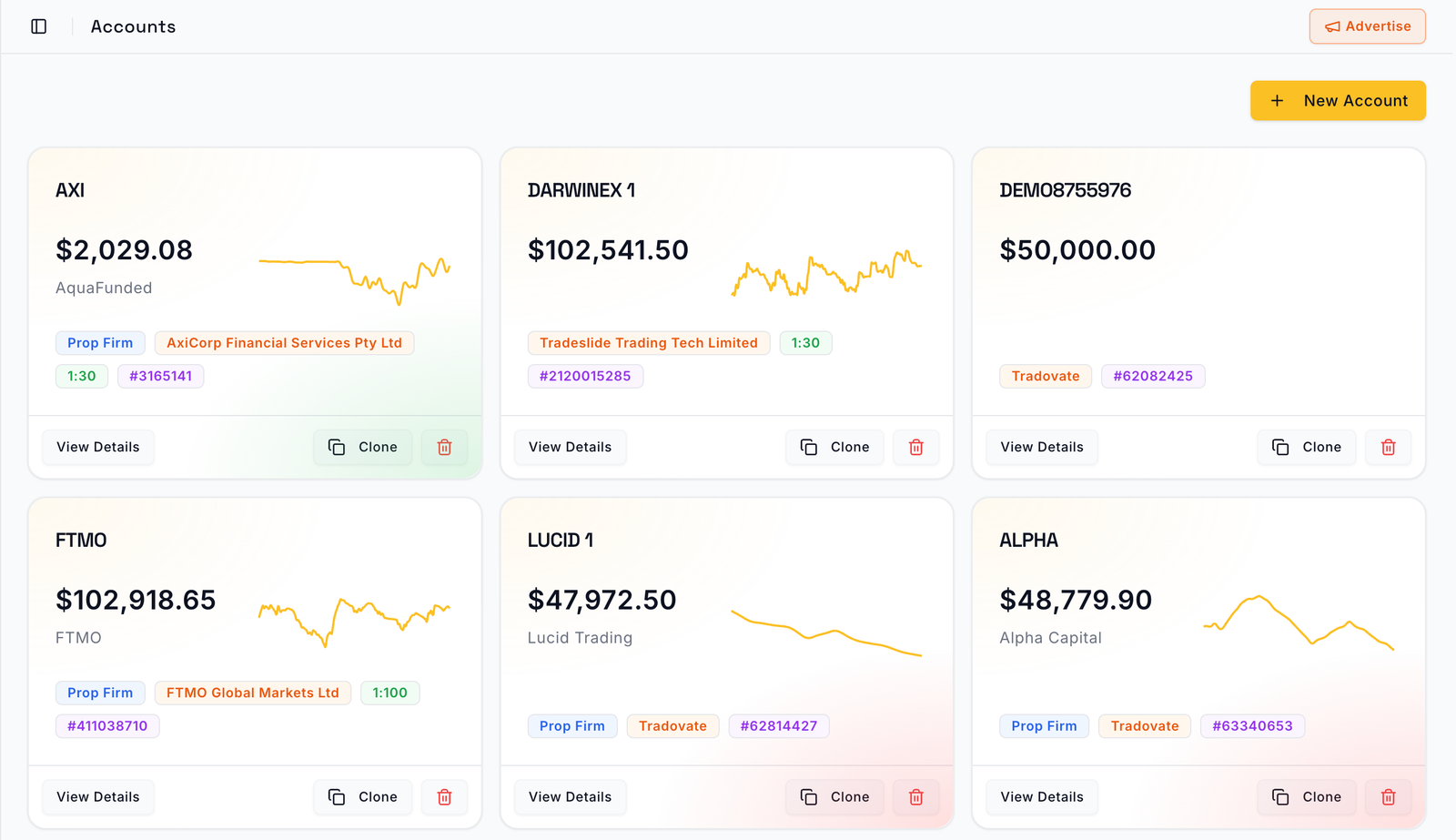
PlanningTrade accounts page with six prop firm and personal accounts, balances and equity sparklines
Step 2 of 6

Dashboard and trading calendar

See where you stand before you place the next trade.

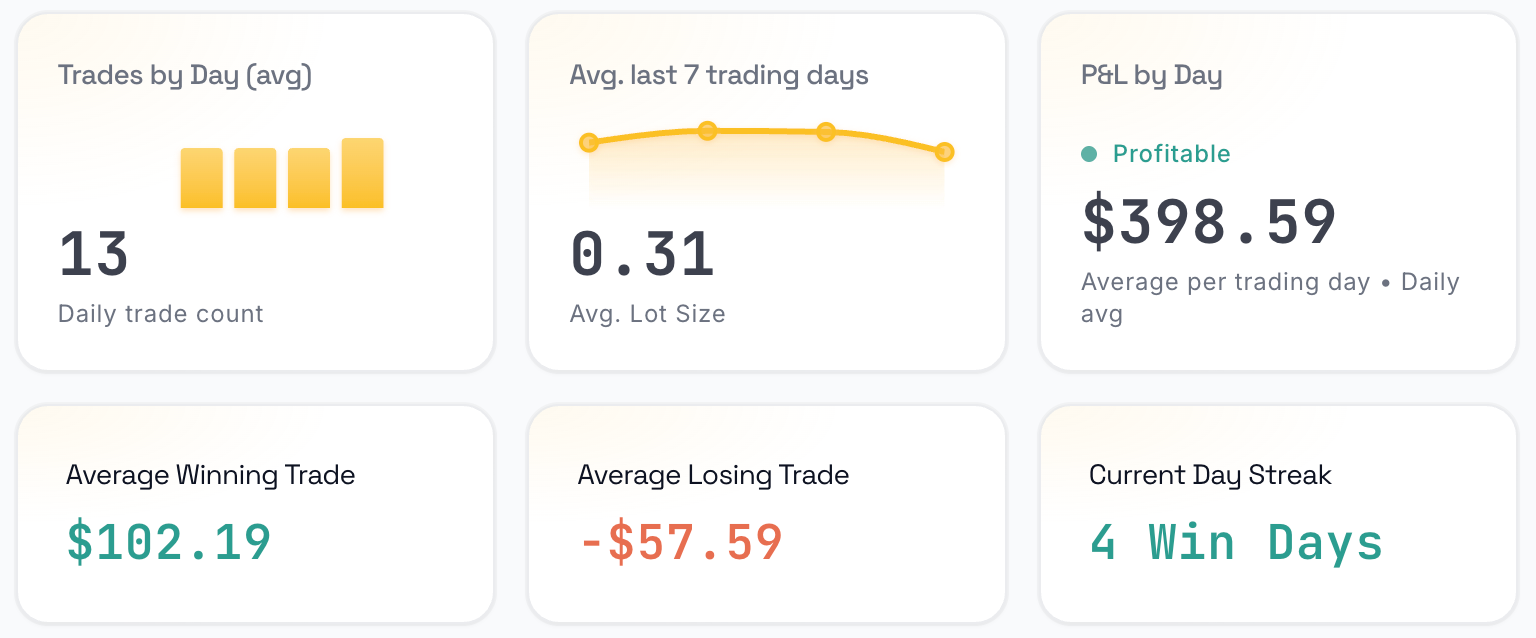
The dashboard shows net P&L, win rate, streaks, average win and loss and lot-size trends for every account in one screen. The calendar puts each day’s result on the grid, so clusters of losing days and your best hours of the week become visible instead of buried in a table.

The numbers that matter, daily

Trades per day, average lot size, P&L per trading day, average win and loss, current streak.

Dashboard tiles for trades by day, average lot size, P&L by day, average winning and losing trade and current day streak

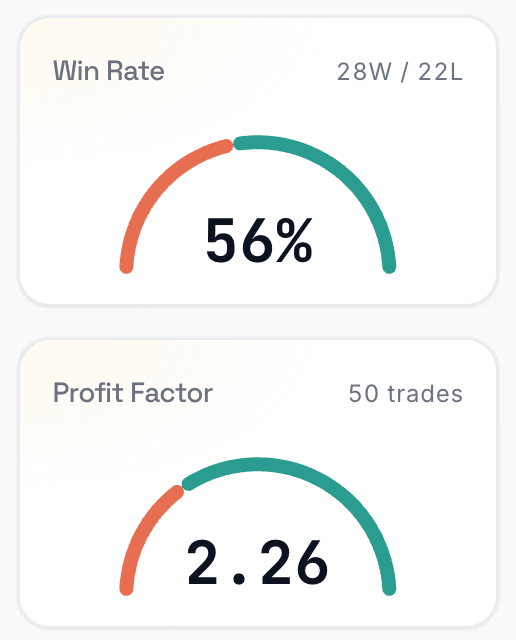
Win rate and profit factor

Two gauges that say whether the edge is real, with the trade count behind them.

Win rate gauge at 56% and profit factor gauge at 2.26

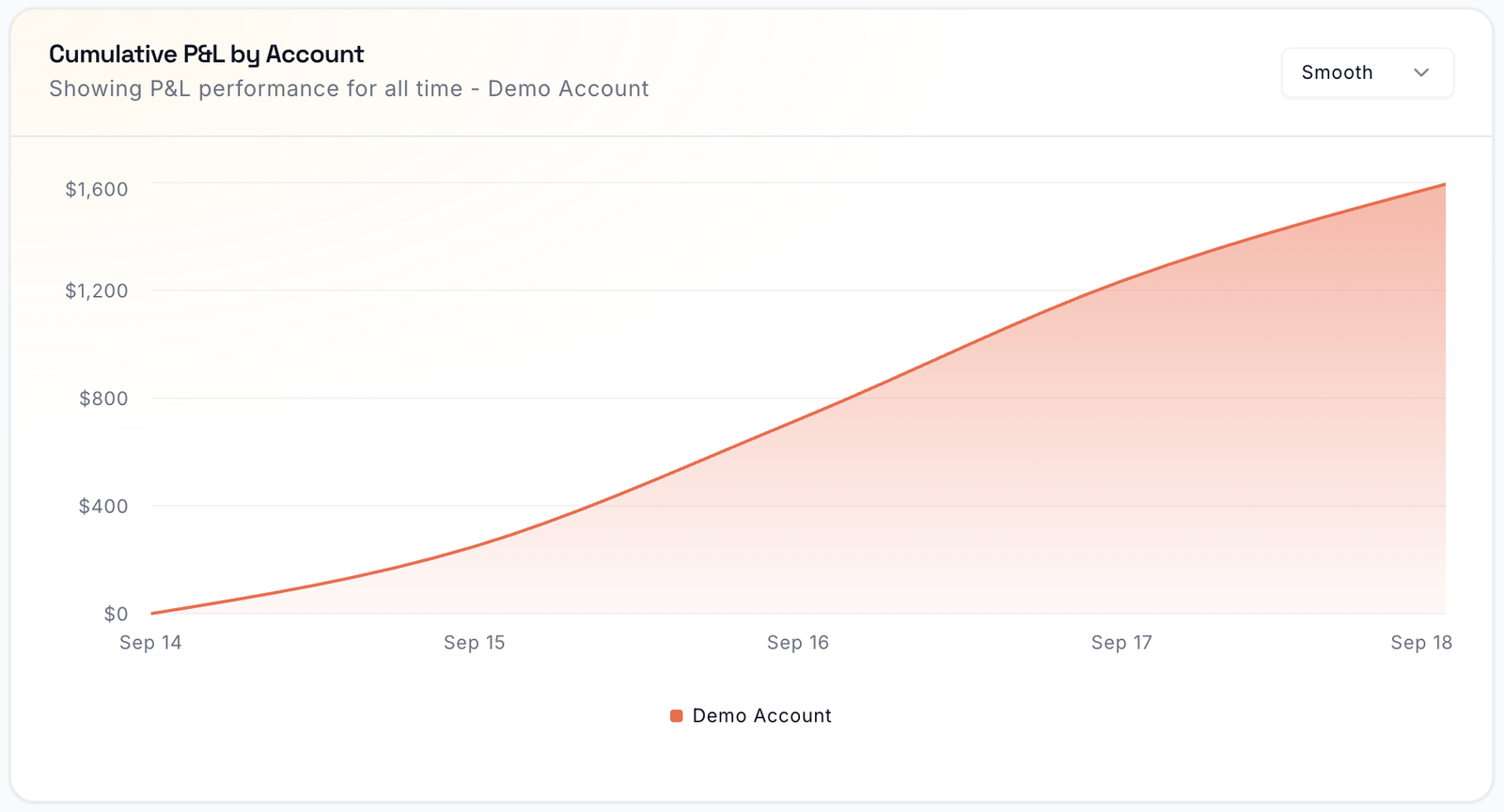
Equity curve per account

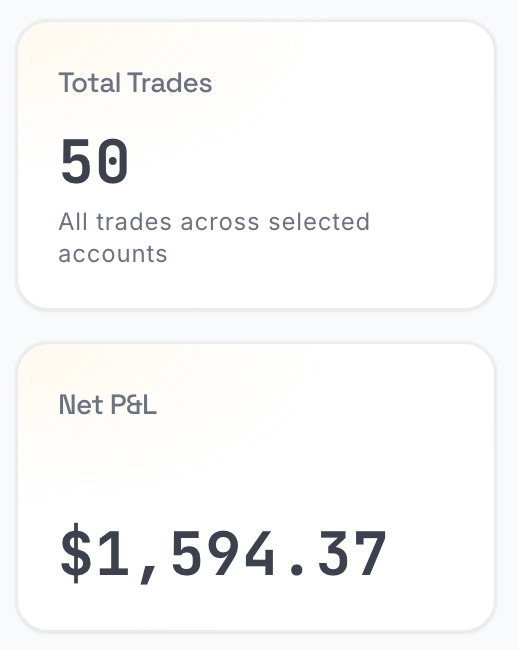
Cumulative P&L over any date range, one line per account, with total trades and net profit for whichever accounts you have selected.

Cumulative P&L chart rising from zero to $1,600 over five days

Edge Score and the panels behind it

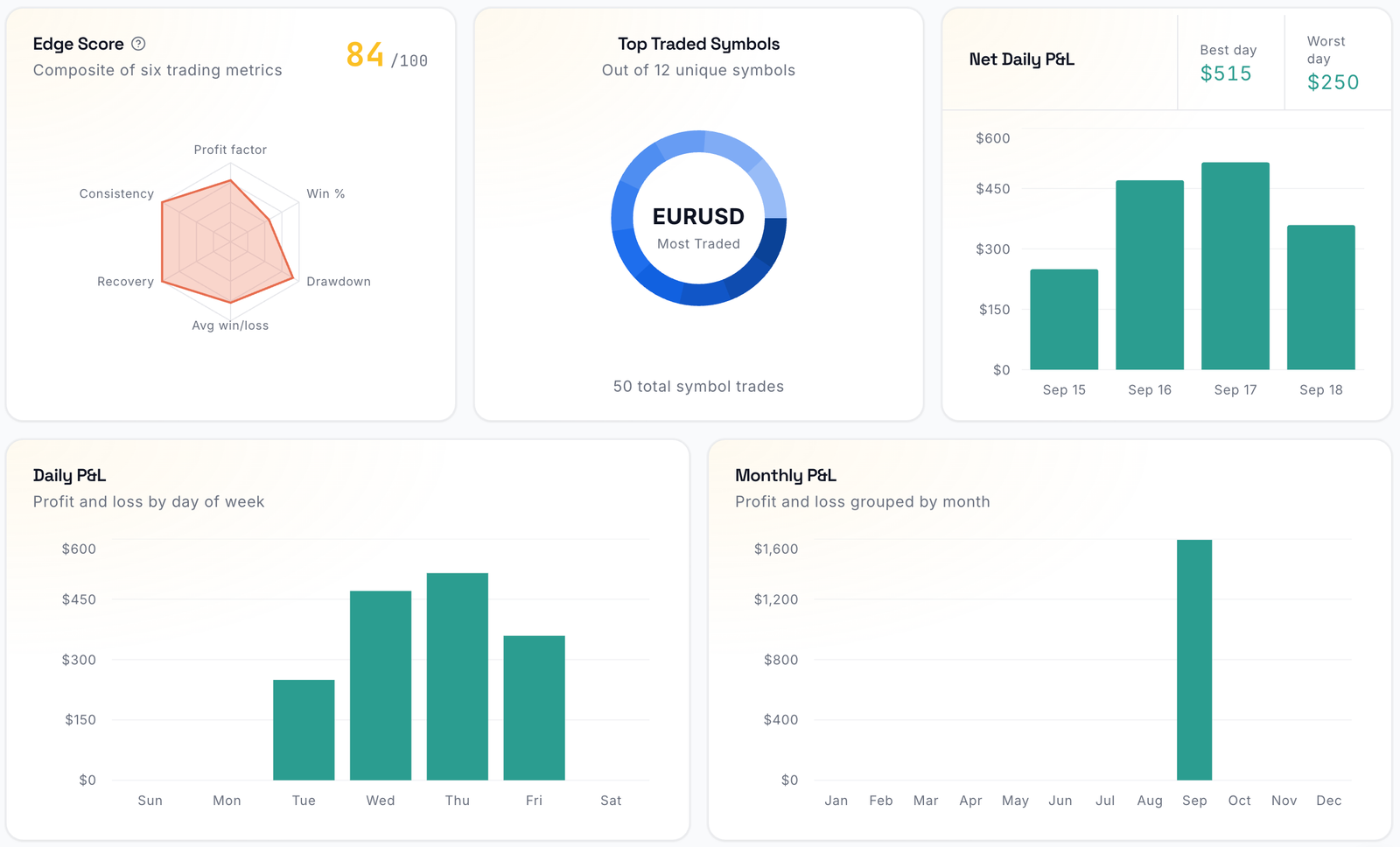
Edge Score composites six trading metrics into one number out of 100, next to top traded symbols, net daily P&L and P&L by day of week and month.

Dashboard panels: Edge Score radar chart at 84 out of 100, top traded symbols, net daily P&L, daily and monthly P&L

The calendar

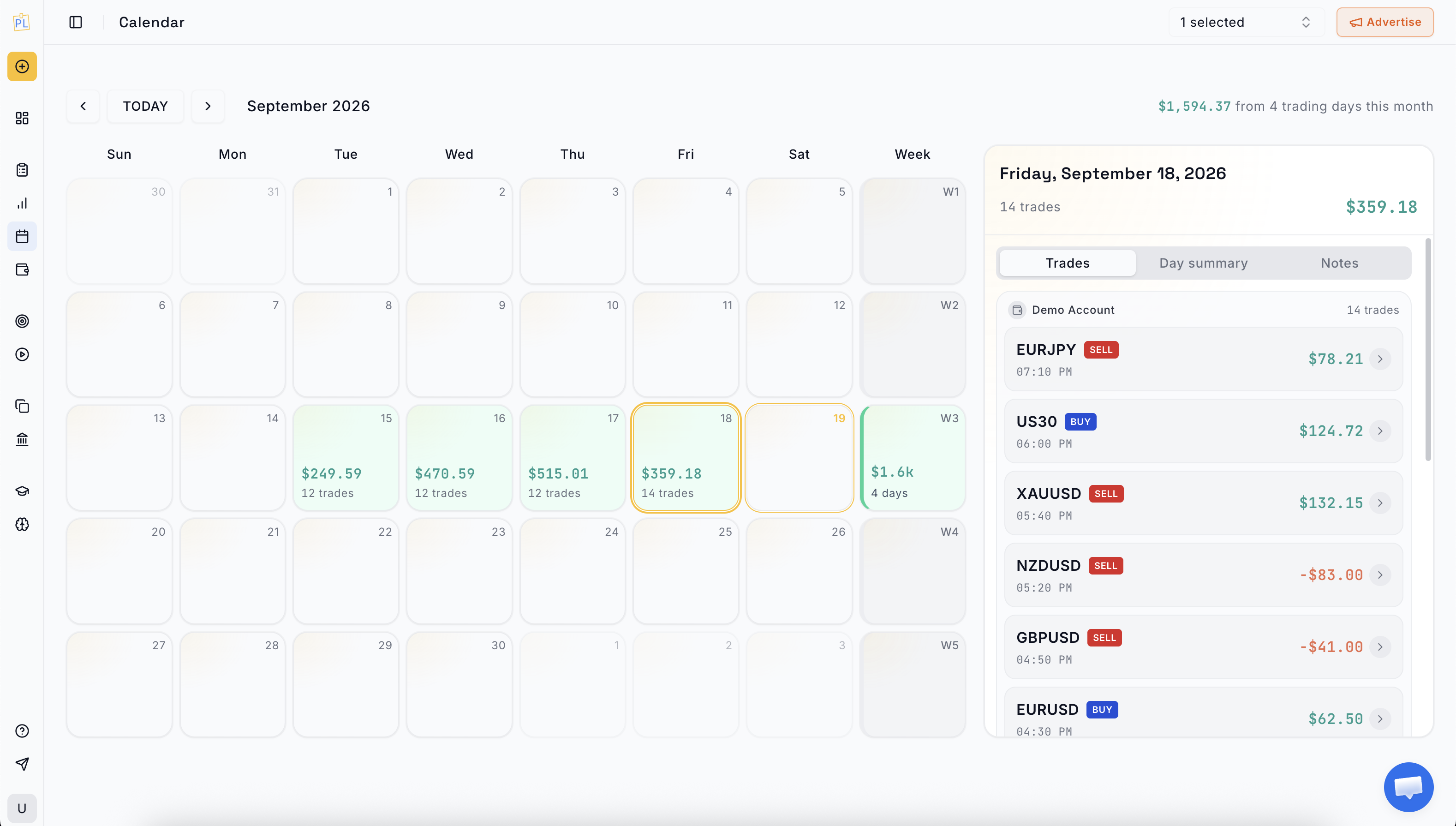
Daily P&L on a month grid, with day notes and images attached to the day itself.

PlanningTrade trading calendar showing daily P&L across a month
Step 3 of 6

Notes, screenshots and backtesting

Write it down while you still remember why.

Every trade carries notes and chart screenshots, so the reasoning behind an entry is stored with its result. Day notes do the same for the session as a whole. Backtesting lives in the same workspace, so an idea can be tested before it costs anything.

Today’s note

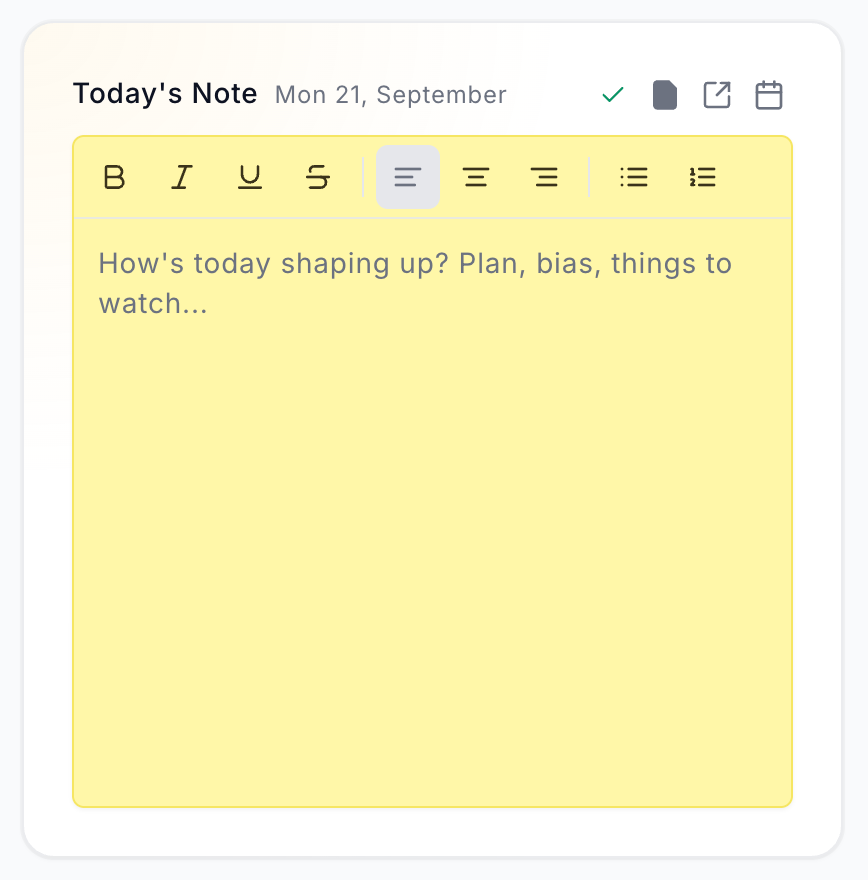
Plan, bias and things to watch, written before the session and kept with that day’s trades.

Today’s note editor with formatting toolbar and the prompt: how is today shaping up?

Backtest in the same workspace

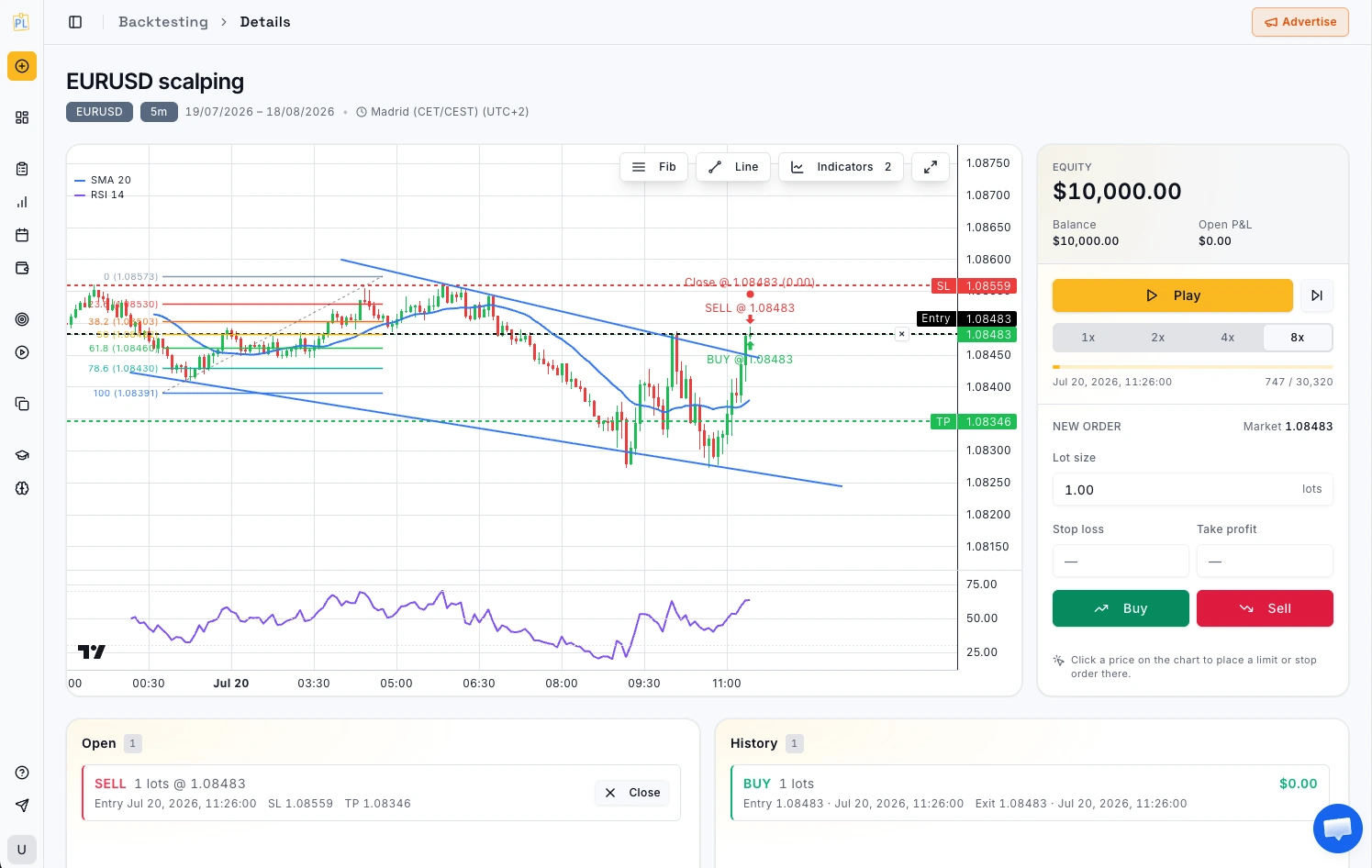
Replay price action bar by bar, place trades against your plan and review the result in a performance report.

PlanningTrade backtesting chart with bar-by-bar replay and placed trades
Step 4 of 6

Risk rules and breach alerts

Hold the line before a breach ends the challenge.

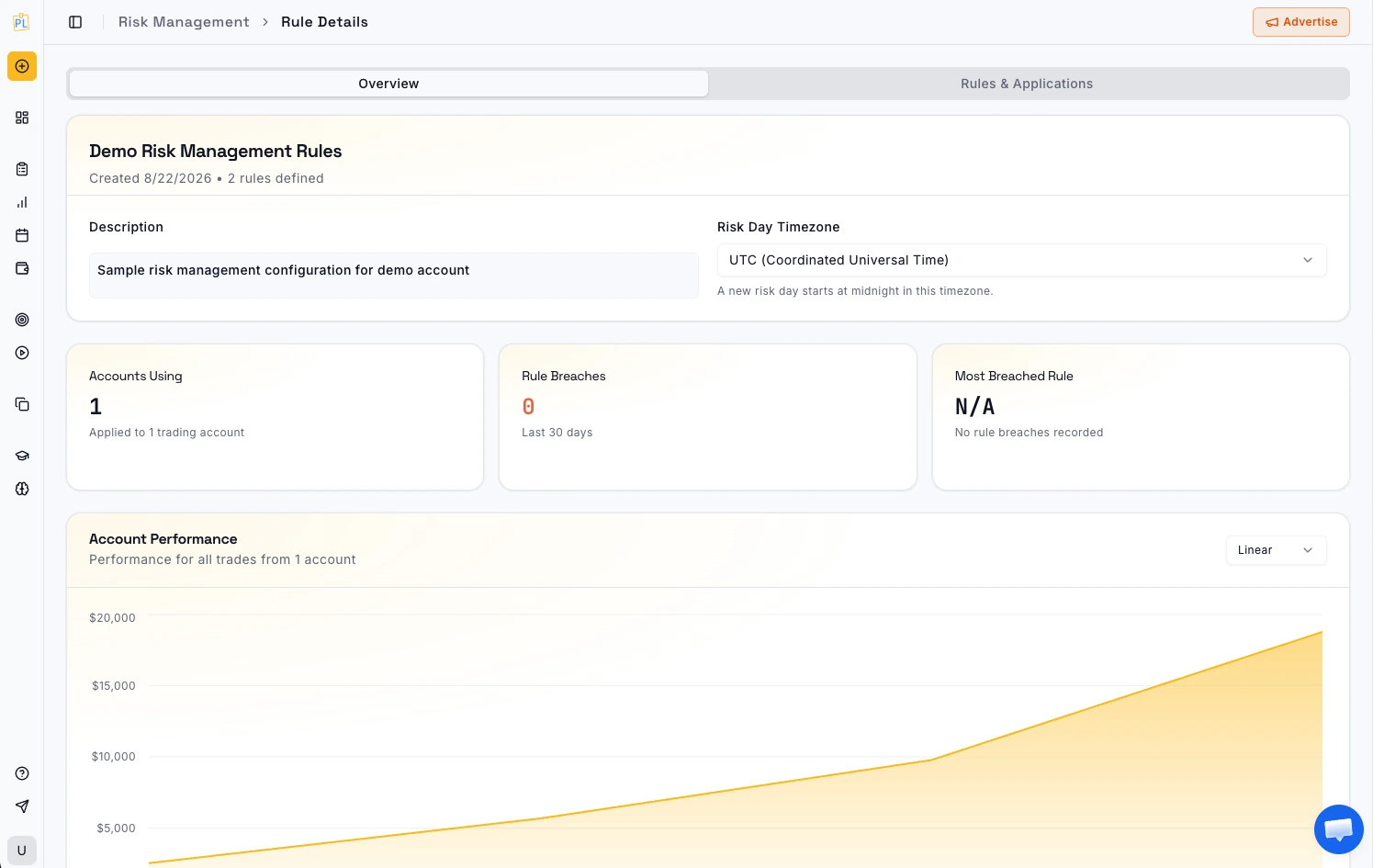
Set daily and weekly drawdown limits, max trades per day, consecutive-loss caps and profit targets, either your own or your prop firm’s. Every synced trade is checked against them and a breach shows up in the journal immediately, with end-of-day email alerts on Pro.

Every rule type, explained

Rules next to the trades that break them

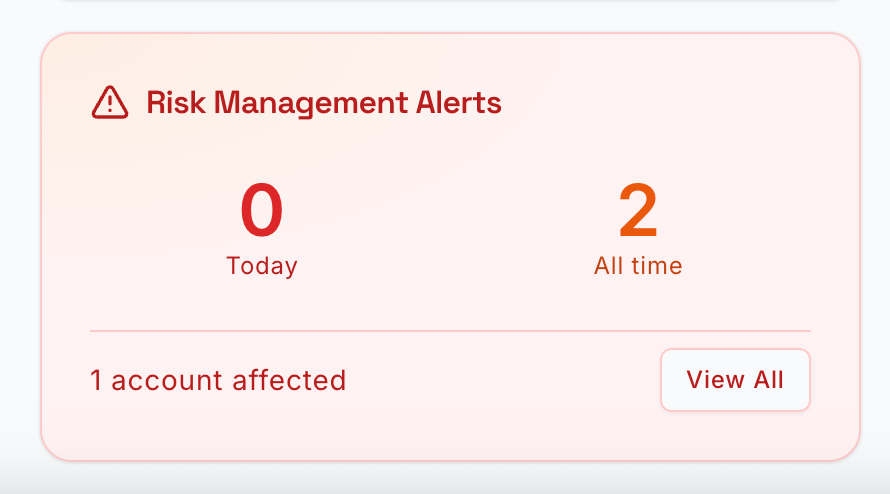
Drawdown, trade caps and targets per account, with the current status of each, and a running count of how many rules you crossed today and all time.

PlanningTrade risk management rules with drawdown limits and breach status
Step 5 of 6

Tags and analytics

Find the edge and the habit that gives it back.

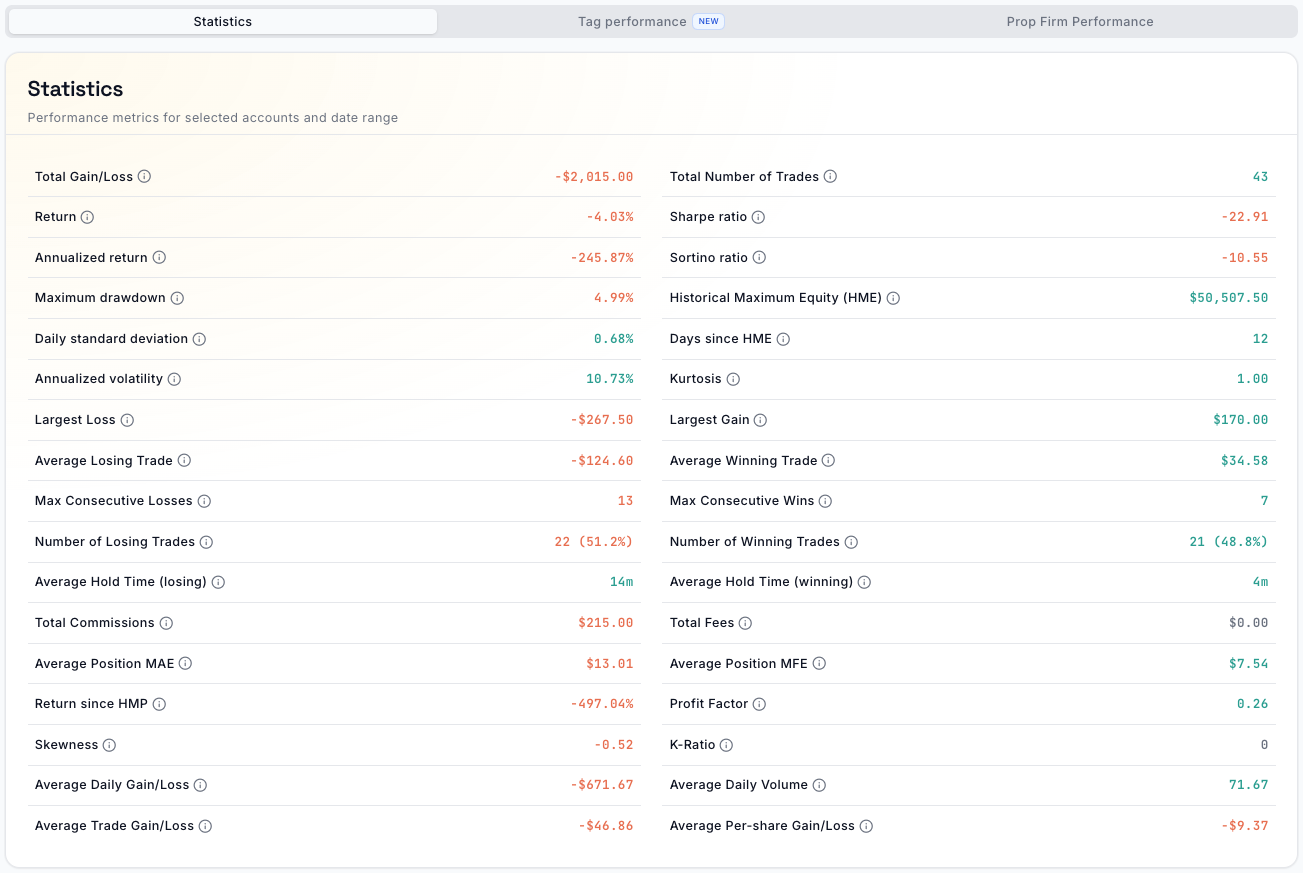
Tag trades by setup, mistake, session or emotion, grouped into colour-coded categories; tagging is unlimited on both plans. The tag performance report shows which setups make money. The analytics page breaks P&L down by symbol, day, hour and account and adds the figures serious traders ask for.

Every statistic on one page

Sharpe and Sortino, drawdown, MAE and MFE, hold times, commissions, K-ratio, skewness and more, for any account and date range.

Statistics page listing thirty-six performance metrics including Sharpe ratio, Sortino ratio and maximum drawdown
Step 6 of 6

AI Coach and Mentor Mode

Someone reads it back to you.

A journal only works if someone reads it. The AI Coach does: a tilt meter flags revenge trading and size creep as it happens, Coach Insight cards surface your best sessions and repeated mistakes, and AI Trade Analysis writes a review of your recent trades. AI Coach Chat answers questions about your own trading, grounded in your journal rather than generic advice. Mentor Mode gives a real person the same view.

Coach Insights

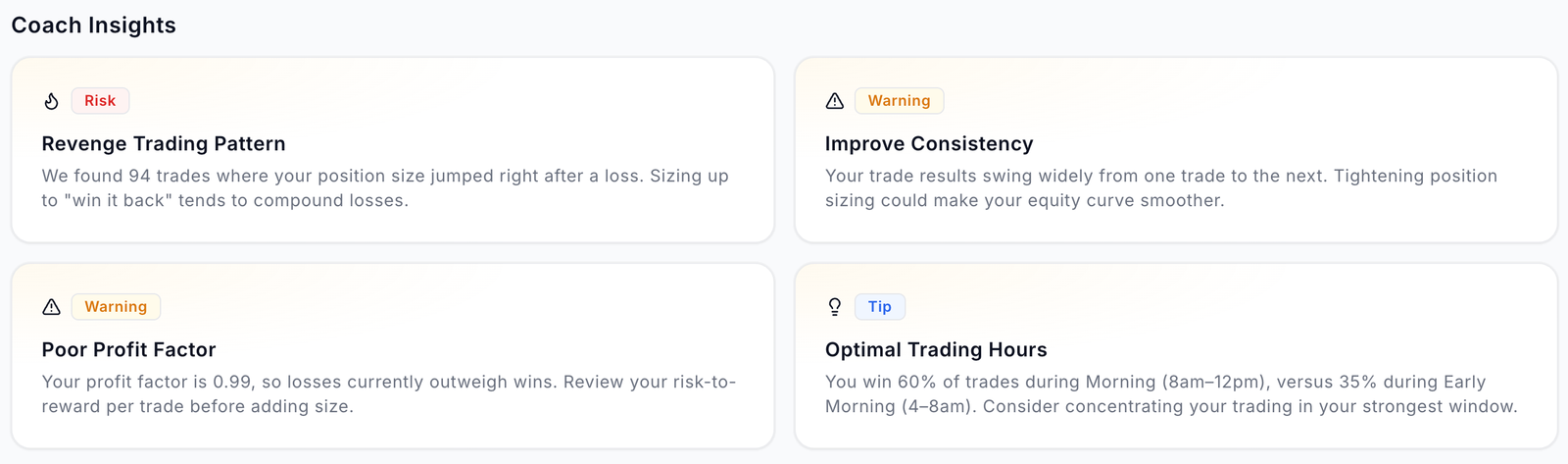
Patterns found in your own trades: revenge sizing, inconsistency, your strongest trading window.

Four Coach Insight cards: revenge trading pattern, improve consistency, poor profit factor, optimal trading hours

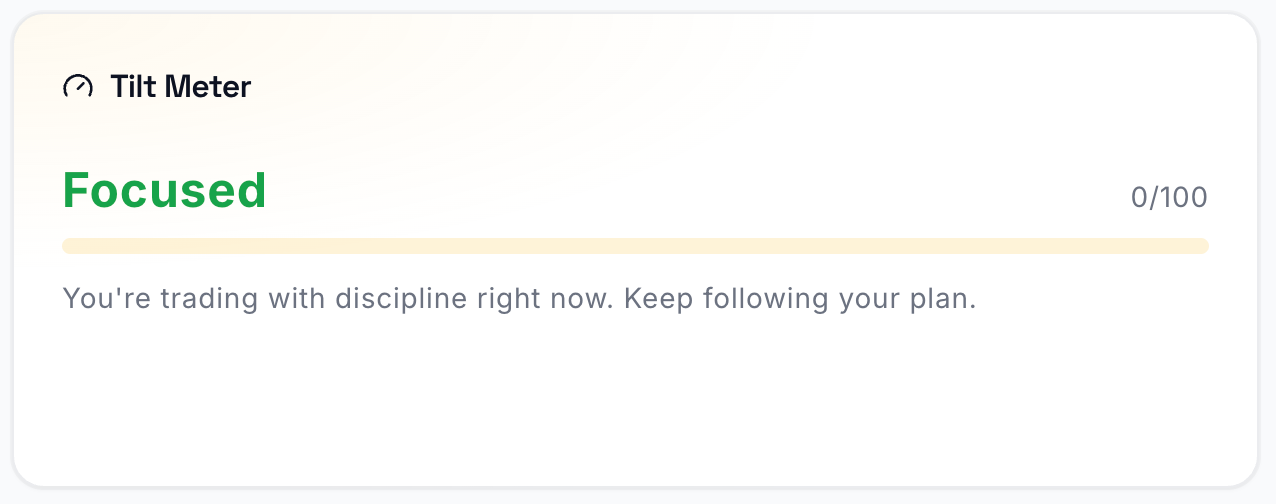
Tilt meter

A live 0–100 read on discipline, rule-based and free with no cap.

Tilt meter reading Focused, 0 out of 100

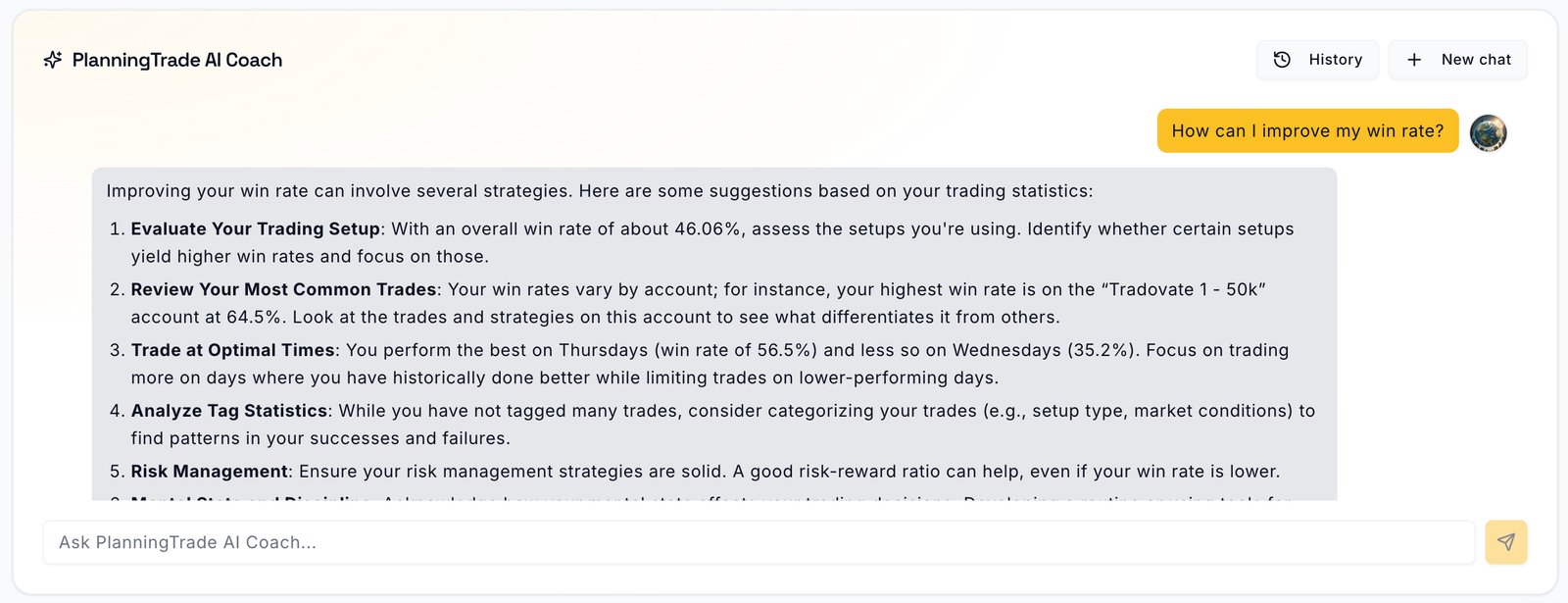
AI Coach Chat

Ask about your own trading and get answers grounded in your data. Pro.

AI Coach chat answering how to improve win rate with account-specific statistics

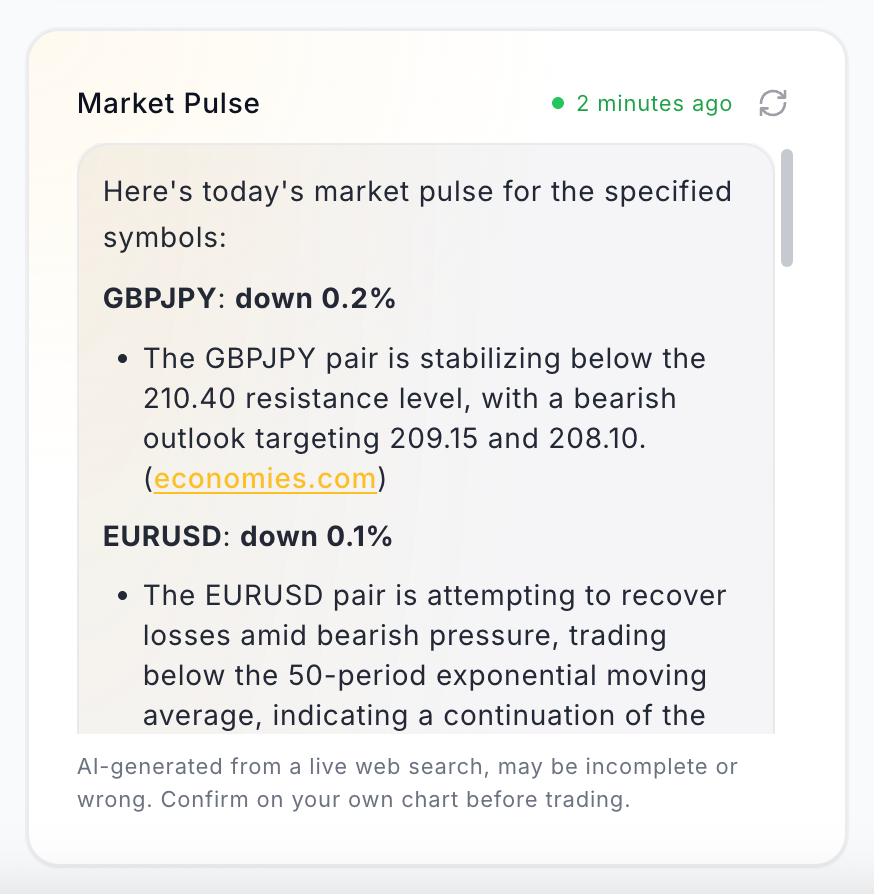
Market Pulse

An AI recap of the symbols you trade, built from a live web search before the session.

Market Pulse card summarising GBPJPY and EURUSD moves with sources

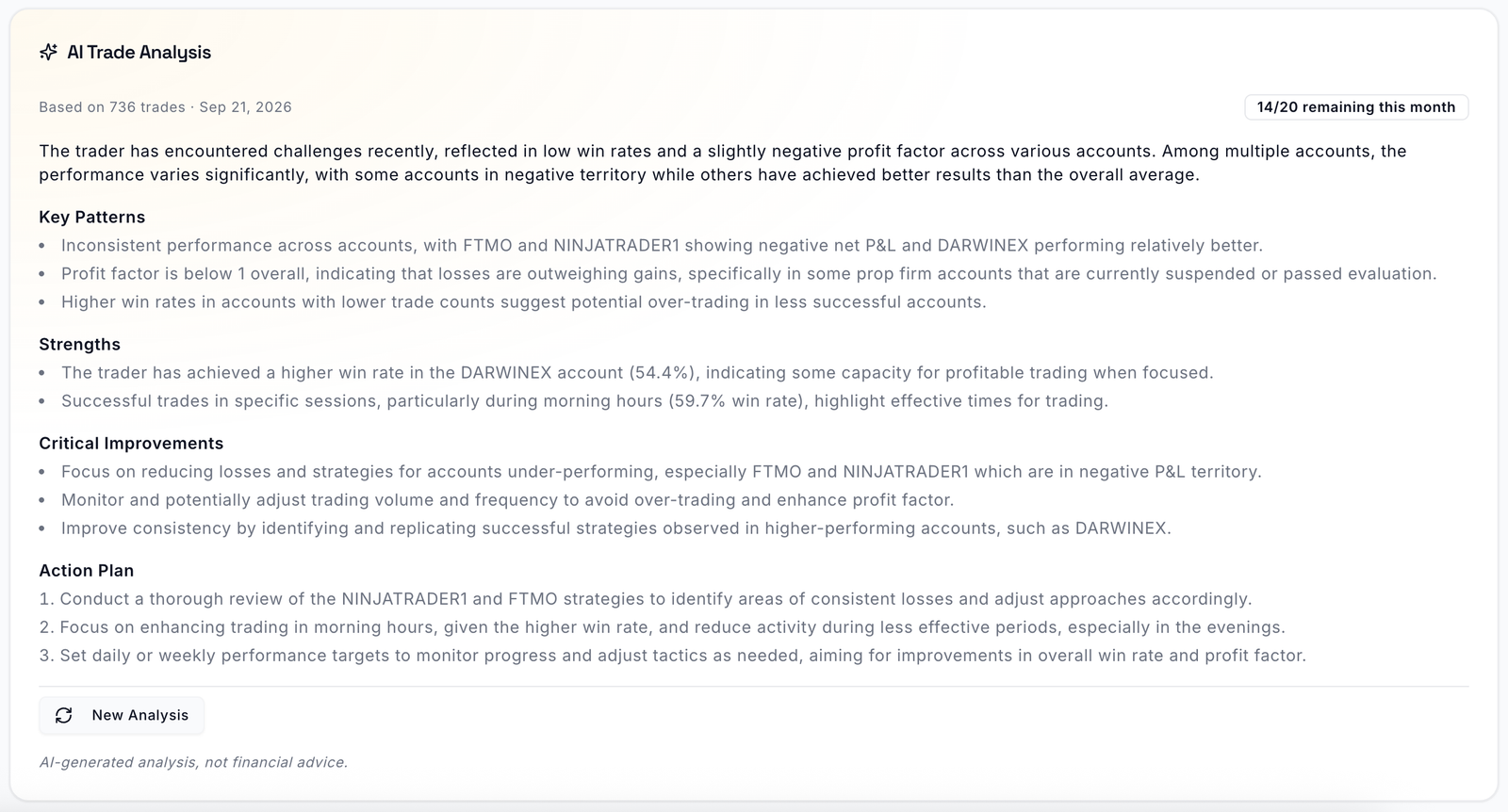
AI Trade Analysis

A written review of your recent trades: patterns, strengths, improvements, action plan. 1 / month on Free, 20 / month on Pro.

AI Trade Analysis report with key patterns, strengths, critical improvements and an action plan

Mentor Mode

Invite a mentor with permission-based access. They see your trades and metrics and can propose risk rules; you decide what gets applied. One mentor on Free, unlimited on Pro.

Questions

Trading journal questions

Is PlanningTrade a free trading journal?
Yes. The free plan has no time limit and needs no credit card. It includes 1 trading account, 50 trades, auto-sync, one risk rule configuration, one mentor, backtesting on one month of data and the AI Coach tilt meter. Pro removes the account and trade limits and unlocks the advanced analytics. Coach Insight cards and AI Coach Chat are part of the Pro plan.
Which trading platforms does the journal sync with?
MetaTrader 4, MetaTrader 5 and cTrader through a connector that runs inside your own terminal, and NinjaTrader and Tradovate through a read-only connection. Other platforms import from MT4/MT5 HTML statements or CSV exports, and trades can always be added manually.
Can I journal forex, futures, stocks and crypto in the same account?
Yes. Symbols are not restricted by asset class. Auto-sync covers forex and CFDs (MT4, MT5, cTrader) and futures (NinjaTrader, Tradovate); anything else is imported or entered manually with its own tick size and value.
What happens to my data if I reach the free plan's trade limit?
New trades stop being added until you upgrade. Nothing already journaled is deleted, and no plan change ever removes data. Free analytics are calculated from your latest 50 trades.
Can mentors change my data?
Mentors get controlled, permission‑based access. They can review your metrics and propose risk rules; you decide what gets applied.
How is my data secured?
We follow modern security practices with encrypted storage and secure connections. Your data is yours—we never sell it.
Stay consistent

Keep your consistency. Keep your edge.

Trade with greater clarity using an all-in-one journal and risk manager. Get IP-friendly auto-sync, customizable risk rules designed to help prevent account blow-ups, an AI Coach that identifies harmful trading habits, and Mentor Mode for real accountability. A free plan is available.