3 Best TradingView Backtesting Alternatives in 2026
The best TradingView backtesting alternatives in 2026: PlanningTrade (free), FX Replay and TradeZella compared on replay, data, risk rules and current pricing.
Short answer: the three TradingView backtesting alternatives worth your time in 2026 are PlanningTrade if you want backtesting tied to risk rules and a journal, on a free plan; FX Replay if you want the most realistic manual replay on TradingView-style charts; and TradeZella if you want backtesting inside a premium analytics journal and are happy to pay for it. Prices and limits below were checked on 17 September 2026.
Disclosure: we build PlanningTrade, so this list is written by one of the three companies on it. We have tried to be straight about where FX Replay and TradeZella are the better pick.
Why look beyond TradingView for backtesting?
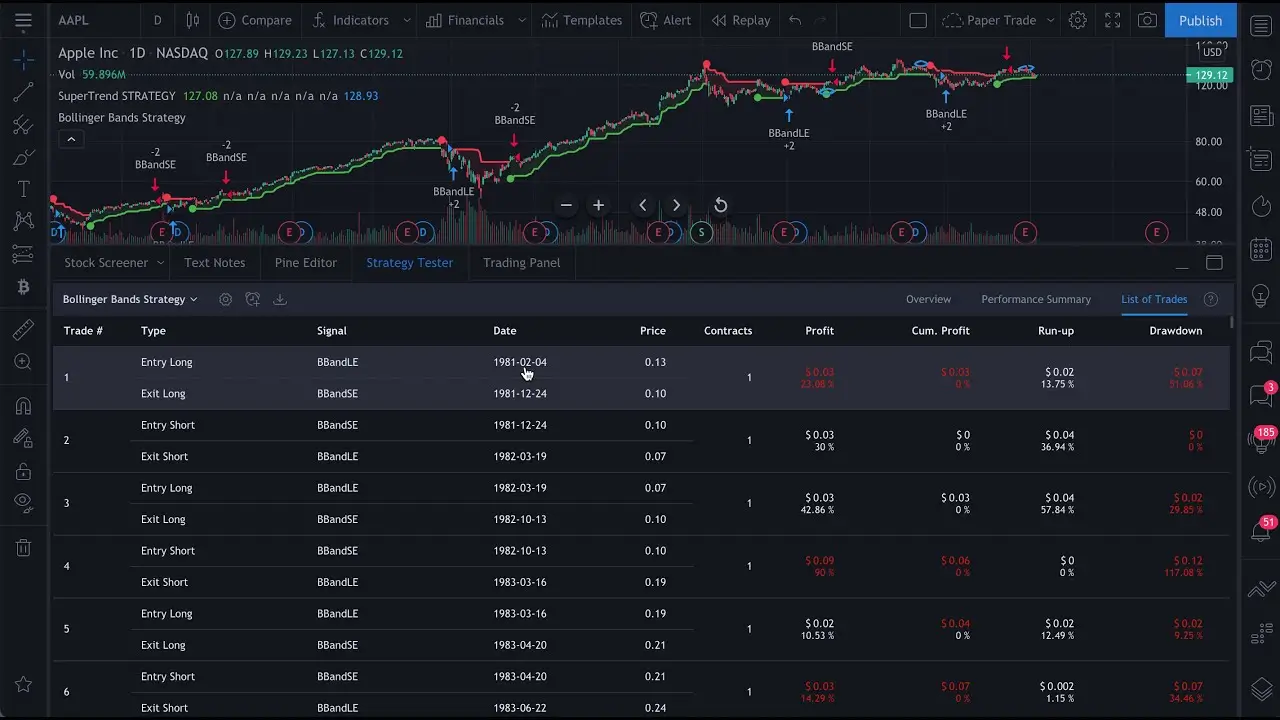
TradingView is the go-to charting platform for millions of traders, and for good reason. The charts are excellent, the community is large, and the interface is intuitive. But when it comes to serious backtesting, many traders end up looking elsewhere, for four reasons.
Bar Replay and deep backtesting are gated by plan. Bar Replay is a paid-plan feature, and the deeper strategy-tester options (“Deep backtesting”, “High detalization of historical bars”) sit on the higher tiers. What you can test, and how far back, depends on what you pay. See TradingView’s pricing page for the current breakdown.
No tick-level simulation. Replay is bar by bar. Intra-bar movement, which decides whether a tight stop was hit before the target, is not captured. That matters most for scalpers and day traders.
Thin real-world modelling. Adjustable spreads, commissions and slippage are the difference between a strategy that looks profitable on paper and one that works in a live account.
No risk management integration. TradingView tells you whether a strategy was profitable. It does not tell you whether that strategy fits inside your daily loss limit, your drawdown cap, or your prop firm’s rules. A profitable backtest means nothing if you cannot execute it inside those limits.
Quick comparison
| PlanningTrade | FX Replay | TradeZella | |
|---|---|---|---|
| Best for | Backtesting plus risk rules and a journal, free to start | Realistic manual replay on TradingView-style charts | Backtesting inside a premium analytics journal |
| Free plan | Yes, no card; unlimited backtesting sessions | Yes (Beginner): 2 sessions, 1 week of data retention | No |
| Paid from | Pro (price on planningtrade.com) | Intermediate $15/mo or $180/yr; Pro $29.16/mo or $350/yr | Essential $35/mo ($26/mo annually); Pro $59/mo ($44/mo annually); Ultra $99/mo ($74/mo annually) |
| Seconds data | Not a headline feature | Pro plan only | “1-sec chart” replay on Pro and Ultra |
| Risk rules on live trades | Yes: daily loss, drawdown, consistency, cooldowns | No (backtesting environment) | Reported as analytics, not enforced |
| Live trade sync | MT4, MT5, cTrader, NinjaTrader, Tradovate | No | Broad broker list |
Sources: FX Replay pricing, TradeZella pricing, planningtrade.com. All checked 17 September 2026; all three change prices from time to time.
1. PlanningTrade: backtesting that connects to your risk rules
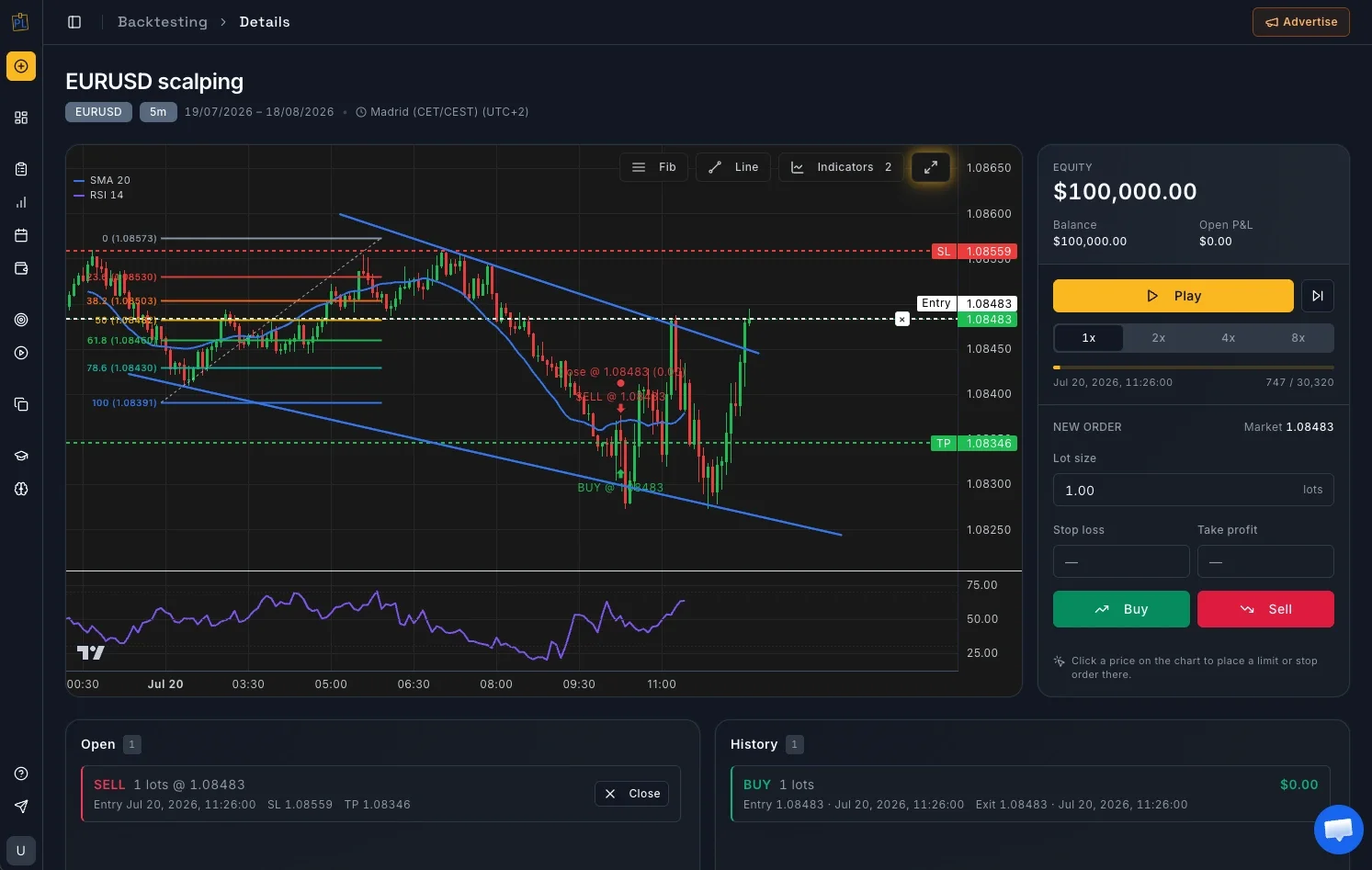
Best for: traders who have a strategy that works on paper and now need to execute it inside real risk limits.
Most backtesting platforms answer one question: “is this strategy profitable?” Experienced traders know that a profitable backtest does not guarantee a profitable account. The missing piece is almost always discipline and risk management.
PlanningTrade puts backtesting in the same workspace as the journal, the risk rules and the live account sync, so the strategy you test is the strategy you are held to afterwards.
Key features
Backtesting with performance analysis. Run sessions against imported historical data and review entries, exits and results in the Backtesting Performance tab. Sessions are unlimited on the free plan; the free plan limits how far back the historical data goes, and Pro lifts that.
Risk rules evaluated on every synced trade. Daily loss limits, maximum drawdown alerts, consistency rules and cooldowns. This is where PlanningTrade differs from a pure backtester: once you go live, the same rules you tested against are applied to the trades that arrive from your broker.
IP-friendly auto-sync. Trades sync from MT4, MT5, cTrader, NinjaTrader and Tradovate without extra login events or new IP addresses that can flag a prop firm account. (Always confirm your firm’s policy; configurations vary.)
Mentor Mode. Invite a coach or accountability partner to review your accounts with permission-based access. They can propose risk rules; you decide what gets applied.
AI Coach. Rule-based insights (tilt meter, best and worst setups) are free and unlimited. A written AI trade analysis is included once a month on the free plan and more often on Pro.
Pricing
Free plan, no credit card, ongoing rather than a trial. It includes one trading account with auto-sync, risk rules, unlimited backtesting sessions, mentor access and the AI Coach basics. The Pro plan lifts the free-plan limits (unlimited accounts, deeper history, more AI). Current limits and the Pro price are on planningtrade.com.
Limitations
PlanningTrade is not a charting product. If what you want is a TradingView-identical chart with drag-to-adjust stops during replay, FX Replay does that better. Seconds-level replay is not a headline feature either.
Who should use it
Prop firm traders who must hold a drawdown limit, and any trader who has had a profitable backtest turn into live losses because execution slipped. If the problem is discipline rather than strategy discovery, this is the one to start with.
2. FX Replay: realistic browser-based market replay
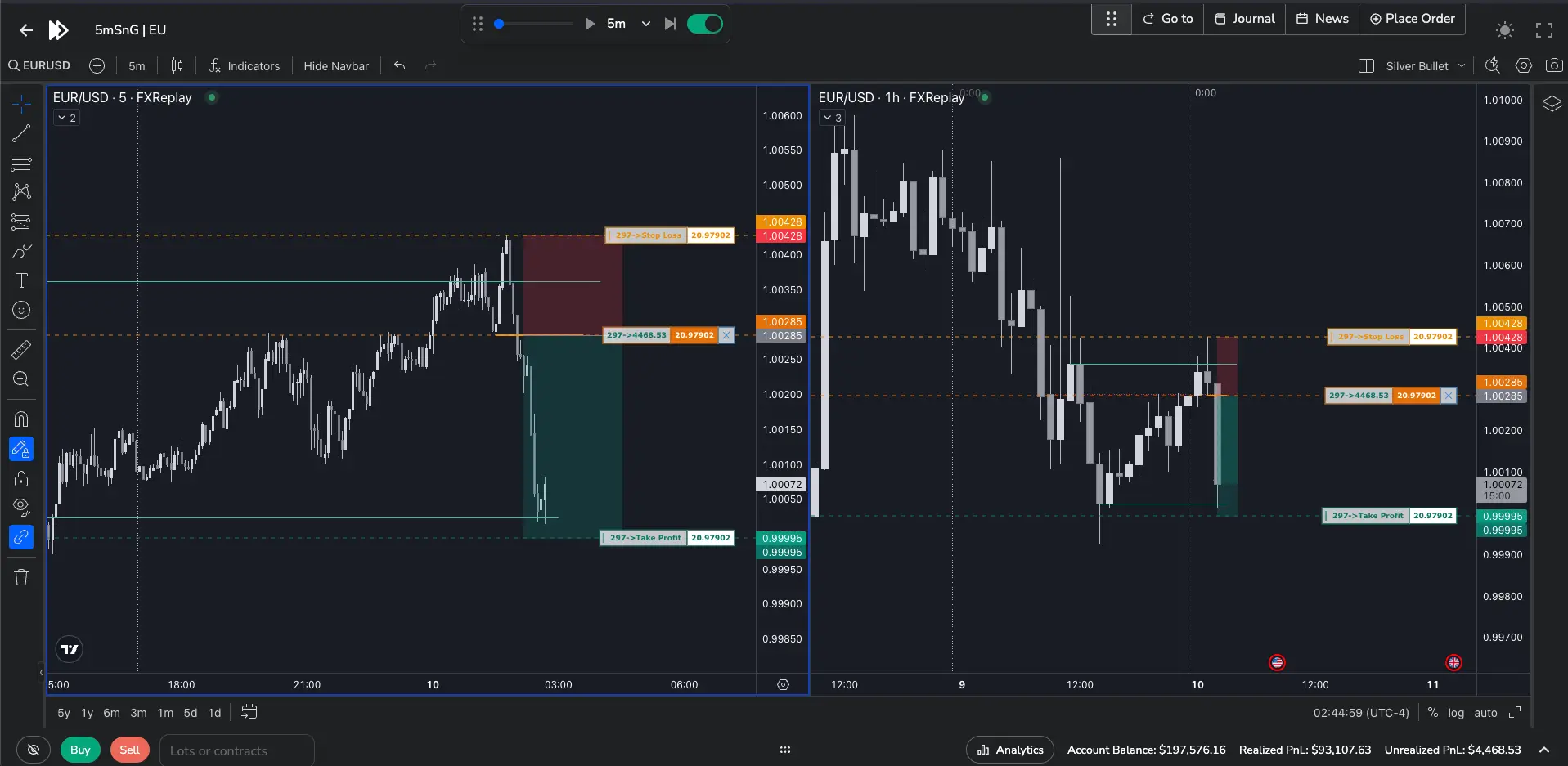
Best for: manual price-action traders who want to practise execution on charts that feel like TradingView.
FX Replay brings TradingView-powered charting into a dedicated replay environment. If you are comfortable with TradingView but need better replay, the transition is natural.
Key features
Replay mode. Jump to any historical date and experience price action as it unfolded. Place trades, drag stops and targets on the chart, and watch P&L evolve.
Multi-chart and multi-pair. Track several instruments and timeframes in one session.
Go-To navigation. Jump straight to favourite sessions, price levels, news events or trade closes instead of scrolling through months of data.
Analytics. P&L over time, time-of-day analytics, a performance calendar, on-chart trade review, and Monte Carlo simulation to see where a strategy could land over 100, 200 or 300 trades. FX Replay also now offers a journal, an economic calendar and a Prop Firm Simulator for challenge practice.
Markets. Forex, futures, stocks, crypto, indices, metals and bonds, with historical data going back to 2003 on major pairs.
Pricing (checked 17 September 2026)
- Beginner: free, no card, no trial clock. 2 backtesting sessions, 1 indicator, 1 week of data retention.
- Intermediate: $15/month (list $17.99) or $180/year. 10 sessions, 2 charts, 3 indicators, 6 months of data retention.
- Pro: $29.16/month (list $35) or $350/year. Unlimited sessions, charts and indicators, unlimited data retention, seconds data.
Limitations
FX Replay is a simulation environment. It does not sync your live broker trades or evaluate them against risk rules, so the gap between “I tested it” and “I executed it” still has to be managed elsewhere. The free tier is small (two sessions, one week of retention), so treat it as a demo rather than a working plan. Seconds data is Pro only.
Who should use it
Price-action traders who want the most realistic manual replay, and traders preparing for a prop firm evaluation who want to rehearse execution. Pair it with a journal that holds your live risk rules.
3. TradeZella: backtesting inside a premium analytics journal
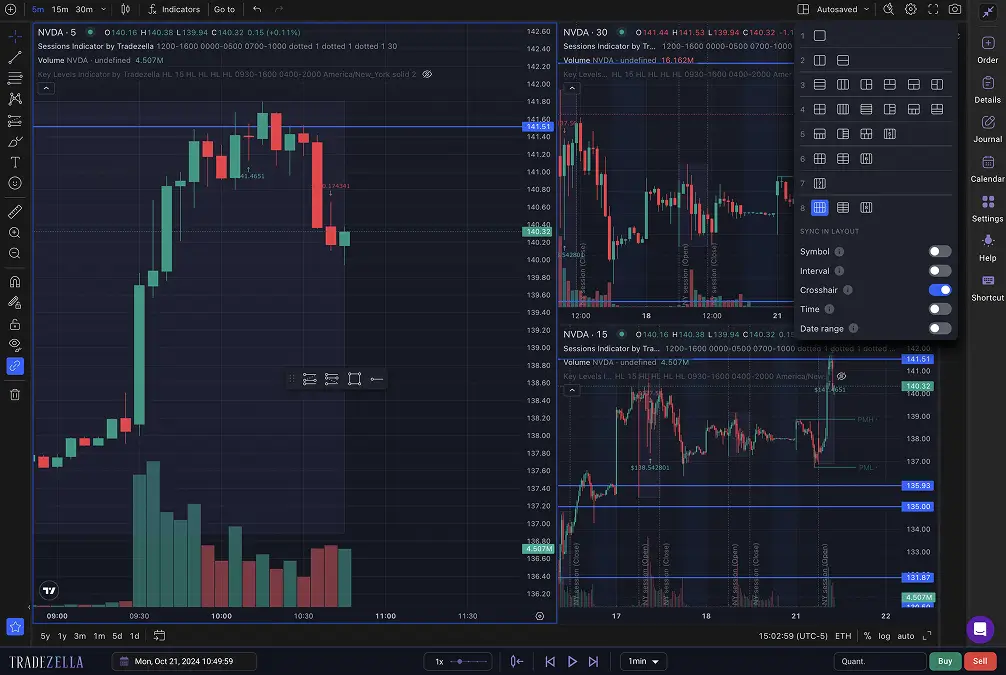
Best for: active traders who want backtesting and trade replay integrated with detailed post-trade analytics, and who are willing to pay for it.
TradeZella combines a backtesting simulator with one of the most polished journaling and analytics suites available.
Key features
Backtesting simulator. Pick historical dates across forex, stocks, crypto and futures and place trades as if live. Manual backtesting is on every plan; automated AI backtest runs are on Pro and Ultra.
Trade replay. Unlimited replays with a 1-second chart on Pro and Ultra. Not included on Essential.
Playbooks. Define setups and check whether live execution matches the strategy you tested.
Broker sync. TradeZella’s pricing page states “500+ brokers connected”. Essential syncs one connection, Pro up to 50 accounts, Ultra unlimited.
Pricing (checked 17 September 2026)
- Essential: $35/month, or $26/month billed annually ($315/year). Manual backtesting for up to 10 strategies, no replay.
- Pro: $59/month, or $44/month annually ($531/year). Unlimited strategies, 10 AI runs a month, unlimited replay, up to 50 broker accounts.
- Ultra: $99/month, or $74/month annually ($891/year). 100 AI runs a month, unlimited accounts.
There is no free plan.
Limitations
The features most people mean by “TradeZella backtesting”, replay and automated runs, start at Pro, so the realistic entry cost is $44 to $59 a month. Risk metrics are reported after the fact rather than enforced against your rules. For a detailed head-to-head see TradeZella vs PlanningTrade.
Who should use it
Traders who already have consistency and want the deepest post-trade analytics with replay built in, and who have the budget for it.
Making your choice
The best backtesting platform depends on what is actually holding you back.
If your problem is finding a strategy, any of the three will let you test ideas against history, and FX Replay’s free tier is the cheapest way to try manual replay.
If your problem is executing consistently and managing risk, which is the case for most traders who have been at this for a while, you need a tool that carries the rules you tested into the live account. That is what PlanningTrade is built for, and it is free to start.
- Choose PlanningTrade for backtesting connected to risk rules, journaling and live sync, with a free plan and no card.
- Choose FX Replay for the most realistic manual replay on TradingView-style charts, accepting that live risk tracking lives elsewhere.
- Choose TradeZella for backtesting and replay inside a premium analytics journal, from $44 to $59 a month for the tiers that include replay.
If you are also choosing a journal, 3 best trading journals in 2026 compares PlanningTrade, TradeZella and TraderSync on that side.
FAQ
Is there a free alternative to TradingView backtesting? Yes. PlanningTrade’s free plan includes unlimited backtesting sessions with no card required, and FX Replay’s Beginner tier is free with two sessions and one week of data retention.
Which alternative has seconds-level replay? FX Replay on its Pro plan ($29.16/month or $350/year) and TradeZella on Pro and Ultra ($44 to $74/month billed annually).
Can any of these replace TradingView for charting? Not fully. FX Replay uses TradingView-powered charts and comes closest for replay. Most traders keep TradingView for charting and use one of these tools for backtesting and journaling.
Which is best for prop firm traders? PlanningTrade, because the risk rules you backtest against are the same ones applied to your live prop firm account, and its sync is designed to avoid the login patterns firms monitor. FX Replay’s Prop Firm Simulator is useful for rehearsing a challenge before you take one.
The goal of backtesting is not just to prove a strategy works. It is to build confidence, understand your edge, and develop the discipline to execute consistently. The right tool is the one that supports all three. If that is the gap you are trying to close, create a free PlanningTrade account and run your next backtest with your real risk limits attached.