3 Best TradingView Backtesting Alternatives in 2026
Looking beyond TradingView for strategy testing? Compare PlanningTrade, FX Replay, and TradeZella to find the best backtesting tool for your trading style and risk management needs.
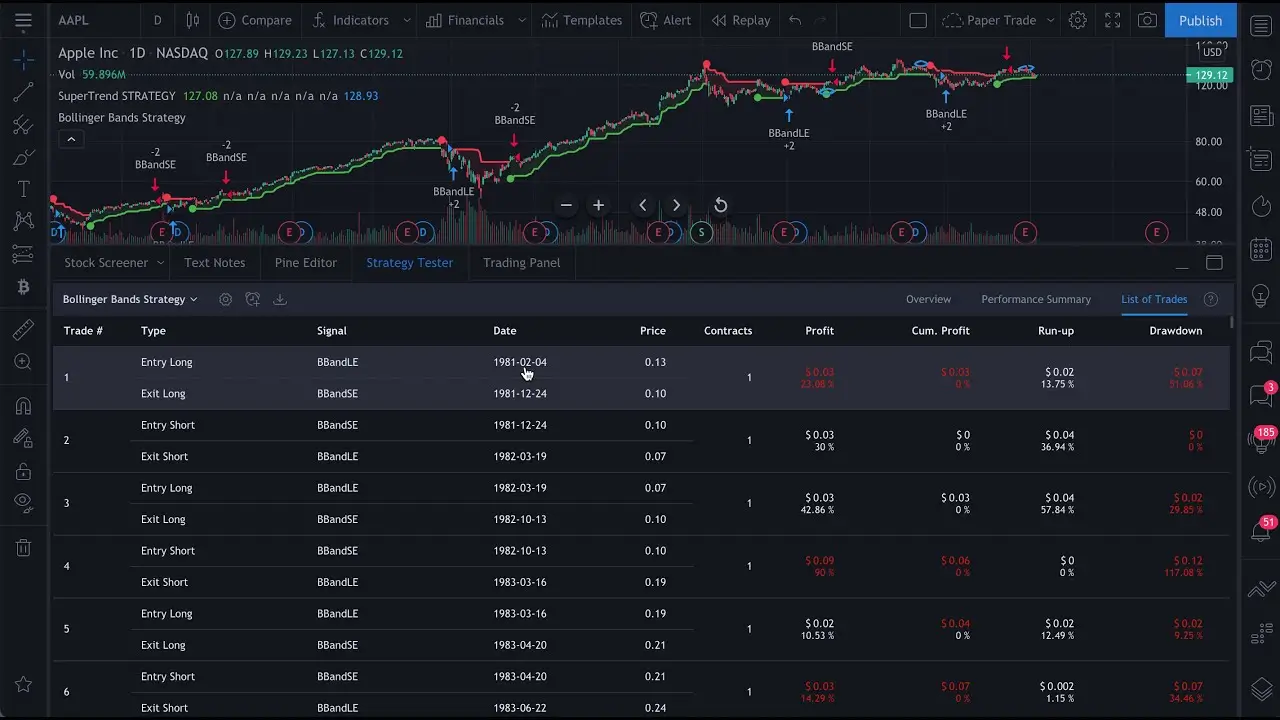
TradingView has become the go-to platform for millions of traders worldwide, and for good reason. Its charting capabilities are exceptional, the community is vibrant, and the interface is intuitive. However, when it comes to serious backtesting, many traders find themselves looking elsewhere.
The reality is that TradingView’s Bar Replay and Pine Script backtesting have significant limitations. You get bar-by-bar replay rather than true tick-by-tick simulation, and accessing meaningful historical data requires upgrading to expensive premium tiers. While every platform has some restrictions based on your plan, two of the alternatives we’ll cover offer substantially more generous free tiers, letting you test their full workflows before committing to a subscription.
If you’re ready to take your strategy testing to the next level, here are three powerful alternatives that address these gaps in different ways.
Why Look Beyond TradingView for Backtesting?
Before diving into alternatives, let’s understand what makes TradingView’s backtesting limiting for serious traders.
Data limitations play a significant role. The Essential paid plan only offers 6 weeks of 1-minute data. For traders who need to test strategies across different market cycles, this simply isn’t enough.
No tick-by-tick simulation means you can’t capture intra-bar price movements. This is critical for accurate entry and exit testing, especially for scalpers and day traders who need precision timing.
Missing real-world variables such as adjustable spreads, commission modeling, and slippage simulation can make the difference between a strategy that looks profitable on paper and one that actually works in live markets.
No risk management integration is perhaps the most overlooked gap. You can test whether a strategy is profitable, but TradingView won’t help you understand if that strategy fits within your risk parameters, daily loss limits, or prop firm rules. And as any experienced trader knows, a profitable strategy means nothing if you can’t manage risk properly.
1. PlanningTrade: Where Backtesting Meets Discipline
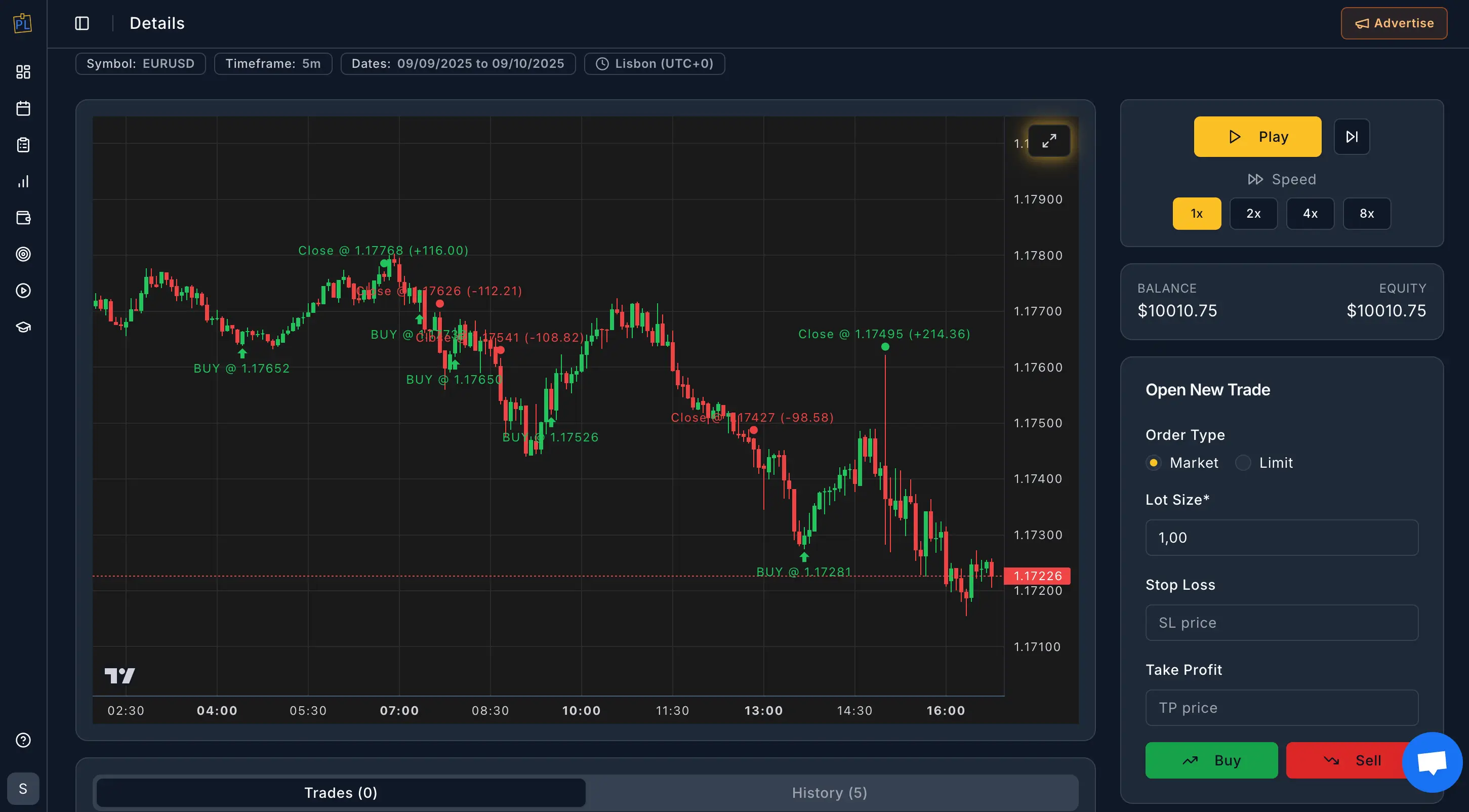
Best for: Traders who understand that strategy testing without risk management is only half the equation.
Most backtesting platforms focus exclusively on one question: “Is this strategy profitable?” But experienced traders know that profitability in a backtest doesn’t guarantee success in live markets. The missing piece is almost always discipline and risk management.
PlanningTrade takes a refreshingly complete approach. It combines clean backtesting capabilities with the risk management tools, trade journaling, and accountability features that actually determine whether you’ll succeed as a trader.
What Makes It Different
While other platforms stop at showing you historical performance, PlanningTrade helps you answer the deeper questions: Does this strategy fit within my daily loss limits? Can I execute it consistently without breaking my rules? Will it work within my prop firm’s drawdown requirements?
The platform was clearly built by people who understand real trading challenges. The interface is clean and focused, avoiding the cluttered dashboards that plague many trading tools. Everything you need is accessible without endless clicking through menus.
Key Features
Backtesting with actionable insights lets you simulate strategies and review entries, exits, and performance metrics in the dedicated Backtesting Performance tab. The reports are clean and practical, showing you what actually matters rather than overwhelming you with vanity metrics.
Risk rule enforcement is where PlanningTrade truly shines. You can set daily loss limits, maximum drawdown alerts, and custom rules that protect your capital. The platform doesn’t just track these metrics passively; it actively helps you stay within your boundaries. For traders who have ever blown through a daily loss limit in the heat of the moment, this feature alone is worth the switch.
IP-friendly auto-sync solves a problem that plagues prop firm traders. Many platforms require additional logins or create new IP addresses when syncing trades, which can trigger security flags with prop firms. PlanningTrade handles synchronization intelligently, keeping your funded account safe while still providing comprehensive analytics.
Mentor Mode allows you to invite coaches or accountability partners to view your progress and metrics. They can review your accounts and help craft risk rules tailored to your trading style. This collaborative approach is surprisingly rare in trading software, and it addresses the isolation that causes many traders to abandon their rules.
Session visualization and performance tracking help you spot patterns in your trading. You can see which sessions work best for your strategy, identify clusters of winning or losing trades, and understand your actual edge rather than your perceived one.
Pricing
PlanningTrade offers all its core features completely free. Backtesting, risk management, trade journaling, auto-sync, performance analytics: it’s all included without paying anything. This isn’t a limited trial or a freemium trap; it’s a fully functional premium service at no cost. The only reasons to upgrade are if you prefer an ad-free experience or if you want to start mentoring other traders. For most traders, the free version is everything they need.
Who Should Use It
PlanningTrade is the natural choice for traders who have moved past the “find a profitable strategy” phase and into the “execute consistently and manage risk” phase. It’s particularly valuable for prop firm traders who must maintain strict drawdown limits, but any serious trader will appreciate the integrated approach.
If you’ve ever had a profitable backtest that turned into live trading losses, or if you’ve struggled to stay disciplined with your risk rules, PlanningTrade addresses these problems directly rather than leaving you to figure them out on your own.
2. FX Replay: Solid Browser-Based Market Replay
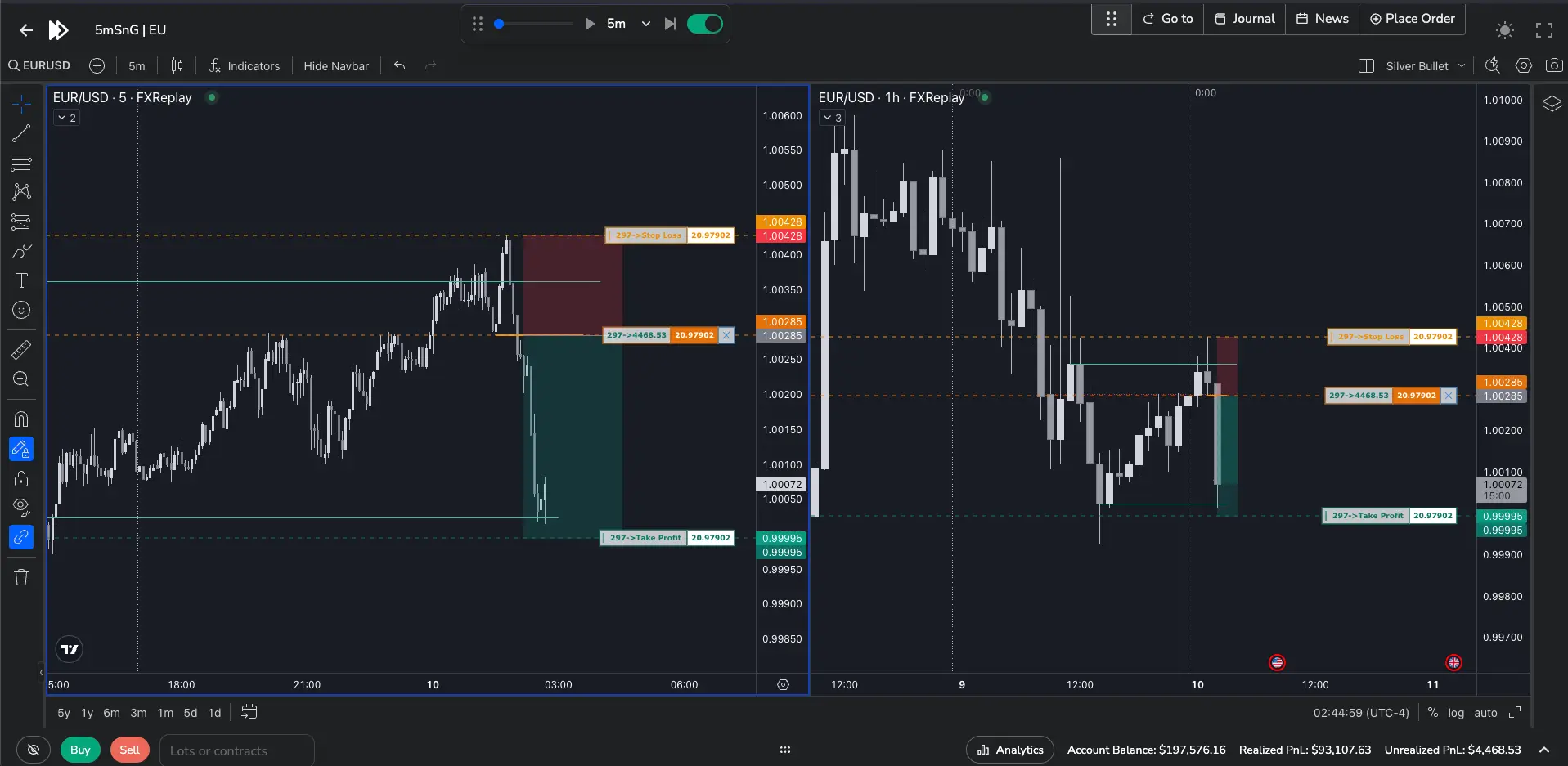
Best for: Manual traders who want to practice price action strategies with familiar TradingView-style charts.
FX Replay brings the TradingView charting interface to a dedicated backtesting environment. If you’re comfortable with TradingView’s charts but need better replay capabilities, the transition feels natural.
Key Features
The Replay Mode lets you navigate to any historical date and experience price action as it unfolded. You can execute trades, adjust stop losses by dragging them on the chart, and watch your P&L evolve in real time.
Multi-chart backtesting supports up to 16 charts and 5 different assets simultaneously. This is useful for correlation analysis or for traders who monitor multiple timeframes during their sessions.
The Go-To feature saves time by letting you jump directly to specific sessions, price levels, or economic events. Instead of scrolling through months of data manually, you can navigate to the exact moment you want to test.
Performance analytics include P&L tracking, time-based analytics showing your most profitable hours, and Monte Carlo simulations to model how your strategy might perform across many trades.
Pricing
FX Replay offers a free tier for testing the platform. Paid plans start at approximately $11.46/month when billed annually for the Intermediate tier, with the Pro plan at around $19.25/month for unlimited access and seconds-level data precision.
Limitations to Consider
FX Replay focuses primarily on the backtesting simulation itself. It doesn’t include the risk management tools or trade journaling integration that help bridge the gap between testing and live execution. You’ll need to track your risk parameters and trading rules separately.
Some users have also reported performance issues with the platform becoming slow during peak usage periods. The lag appears to be server-side rather than dependent on your equipment, so testing the free tier first is advisable.
Who Should Use It
FX Replay works well for price action traders who want a realistic practice environment and don’t mind managing risk tracking separately. It’s popular among traders preparing for prop firm evaluations who want to practice execution under simulated conditions.
3. TradeZella: Journaling-Focused Backtesting
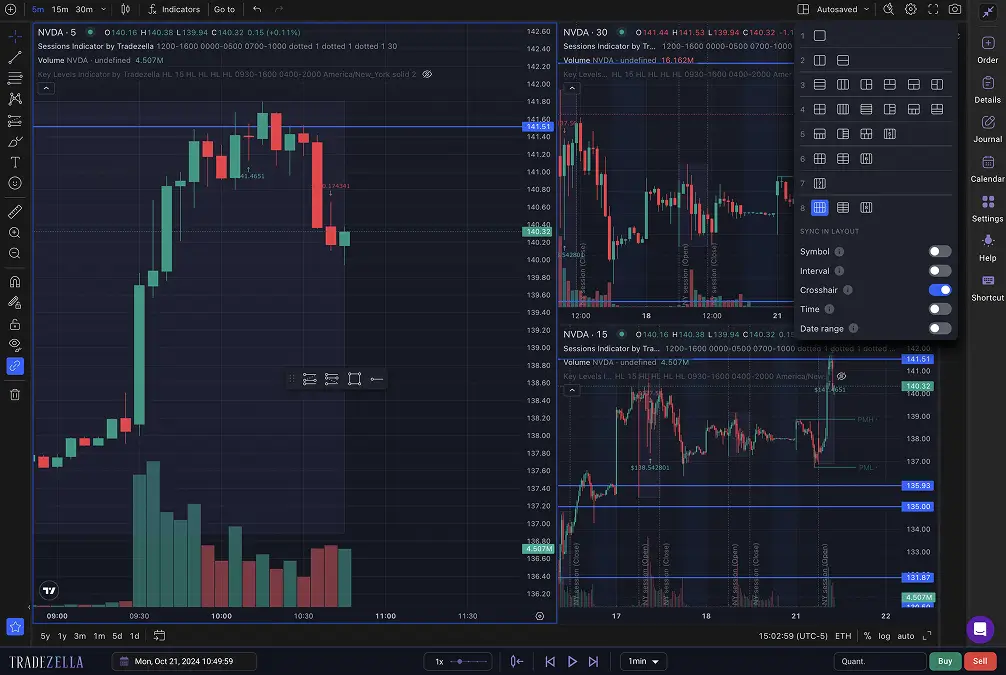
Best for: Active traders who prioritize detailed trade documentation alongside strategy testing.
TradeZella combines backtesting capabilities with comprehensive trade journaling. Founded by day trader Umar Ashraf, the platform emphasizes the documentation side of trading improvement.
Key Features
The backtesting simulator lets you select historical dates across forex, stocks, crypto, and futures, then place trades as if you were in a live market. You can configure risk parameters, test different order types, and review performance statistics.
Playbook integration allows you to define trading setups and then track whether your backtested strategies align with your live execution. The platform connects these two workflows, which helps identify discrepancies between what you plan to do and what you actually do.
Automated trade importing from over 20 brokers means your live trades flow into the journal automatically. This reduces the friction of manual logging that causes many traders to abandon their journals.
Pricing
The Basic plan costs $29/month and includes trade journaling, analytics, and limited backtesting sessions. The Pro plan at $49/month unlocks unlimited backtesting with seconds-level data, trade replay features, and mentor invitation capabilities. Annual billing reduces the effective monthly cost.
Limitations to Consider
TradeZella’s strength is documentation and journaling, but its risk management features are less developed than dedicated risk-focused platforms. The platform helps you track what happened, but it’s less proactive about helping you stay within your risk boundaries before you break them.
The pricing is also on the higher end, particularly for the Pro features. Traders who don’t need the extensive journaling capabilities may find better value elsewhere.
Who Should Use It
TradeZella suits traders who thrive on detailed documentation and want to analyze their trading patterns extensively. If you’re disciplined about journaling and want backtesting integrated into that workflow, it’s a capable option.
Comparison Summary
| Platform | Best For | Risk Management | Price | Key Strength |
|---|---|---|---|---|
| PlanningTrade | Disciplined traders | ✓ Comprehensive | Free (all features) | Complete risk + backtesting integration |
| FX Replay | Price action practice | ✗ Limited | Free tier / $11-$19/mo for full access | TradingView-style interface |
| TradeZella | Documentation-focused | ✓ Basic | $29-$49/mo | Journaling integration |
Making Your Choice
The best backtesting platform depends on what’s actually holding you back as a trader.
If your challenge is finding a profitable strategy, any of these platforms will let you test ideas against historical data. But if you’re honest with yourself, you probably already have strategies that work on paper.
If your challenge is executing consistently and managing risk, which is the case for most traders who have been at this for a while, then you need a platform that addresses those problems directly. A backtesting tool that doesn’t help you stay disciplined is solving yesterday’s problem.
Choose PlanningTrade if you want backtesting that’s integrated with real risk management, clean analytics, and features designed for how trading actually works. Every core feature is free, so you can use the full platform without ever paying for a subscription.
Choose FX Replay if you primarily need a practice environment for price action strategies and you’re comfortable managing risk parameters on your own. It’s a solid standalone backtesting tool, but you’ll need to pair it with other software for journaling, analytics, and risk management.
Choose TradeZella if detailed trade documentation is central to your improvement process and you want journaling tightly integrated with backtesting.
The goal of backtesting isn’t just to prove a strategy works. It’s to build confidence, understand your edge, and develop the discipline to execute consistently. The right tool is the one that supports all three.